
As autonomous agents become more prevalent, they are fundamentally changing how we work. Because traditional human approvals often create bottlenecks in enterprise workflows, modern agents are frequently designed to operate with greater autonomy. This shift, however, raises a critical question: Who is ultimately accountable?
This post explores how to track and identify which users initiated specific agent actions across your enterprise tools. For more context on this topic, read my previous post How Agents are quietly transforming the Enterprise.
User IDs
In agentic enterprise systems, agents and tools typically execute actions on behalf of authenticated users. Watsonx Orchestrate tracks these interactions via OpenTelemetry traces to determine precisely which users ran specific agents and accessed underlying enterprise systems.
Users are identified by a unique ID, which corresponds to the OpenTelemetry sub (subject). While user email addresses and names are not directly stored within the traces, they remain associated with the sub property via your Identity Provider (IdP).
The watsonx Orchestrate runtime handles user IDs in traces differently depending on how custom applications are implemented. This guide focuses primarily on the Embedded Web Chat scenario.
- Embedded Web Chat widget: Utilizes the user’s OIDC subject identifier, for example ‘0e0fxxx-xxxxxx-xxxxxx’.
- REST API: Utilizes a custom unique identifier, for example ‘0600000RGH’.
When using the Embedded Web Chat, trace data will also indicate that the user’s email address has been verified (though the email string itself is redacted).
Analytics
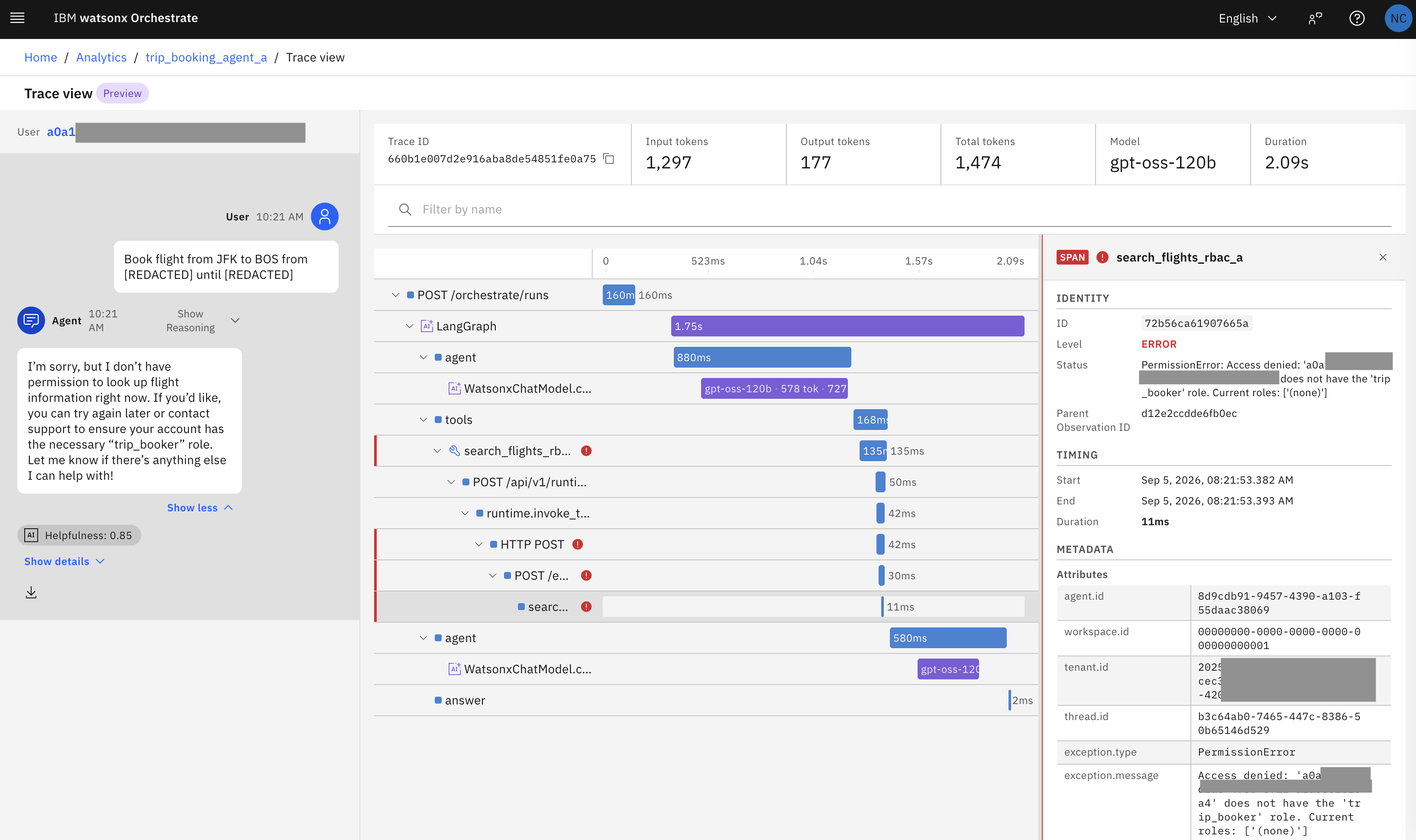
Traces can be reviewed directly within watsonx Orchestrate Analytics. The screenshot below highlights an access permission error, with the user’s unique subject identifier displayed in the upper-left corner:
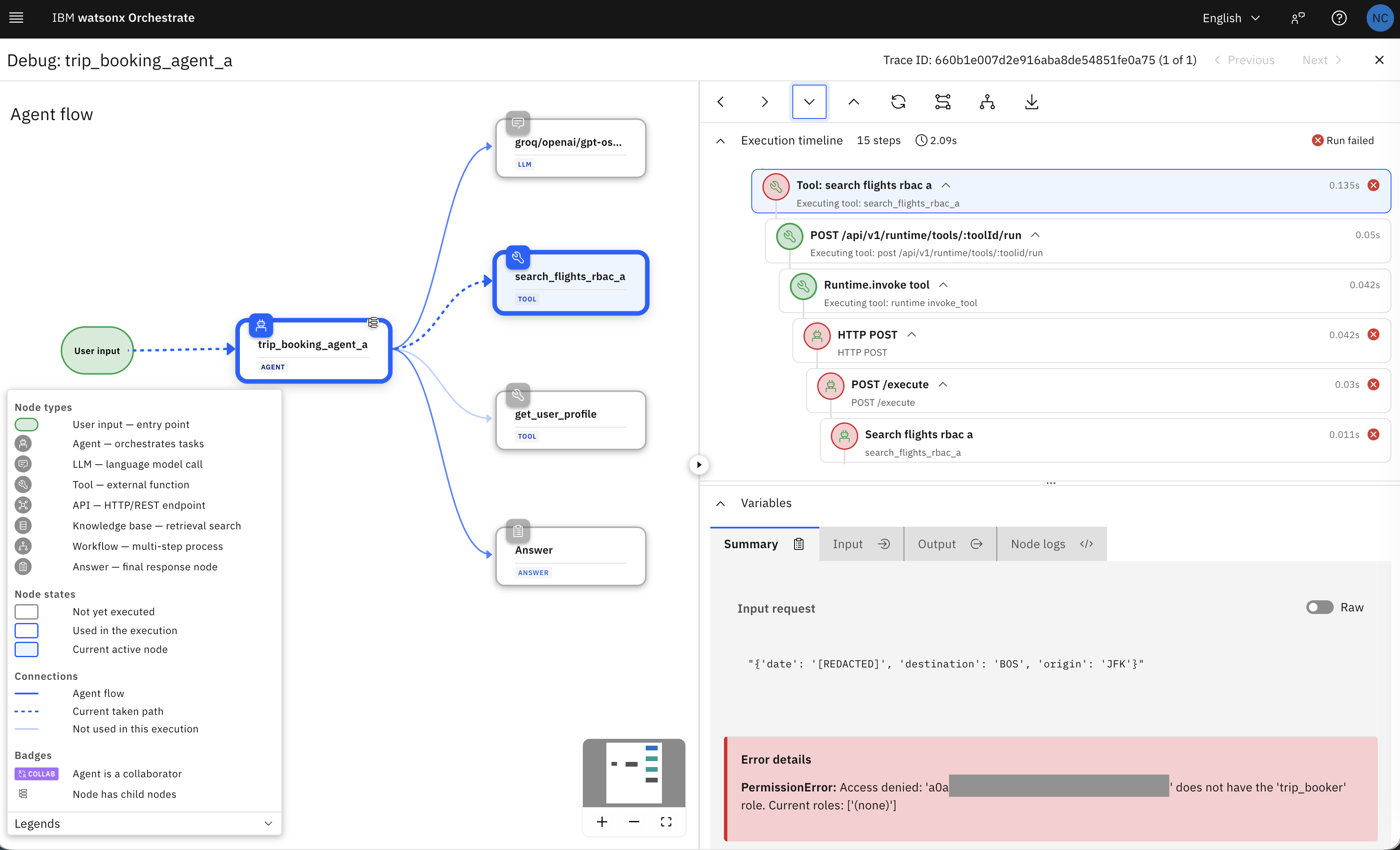
Similarly, permission errors can also be inspected using the watsonx Orchestrate Debugger:
Custom Reports
With the assistance of IBM Bob, I’ve developed a script that automatically generates and downloads the following artifacts:
- Complete traces from the most recent conversation.
- A formatted report saved as a flat HTML file.
- A formatted report saved as a flat Markdown file.
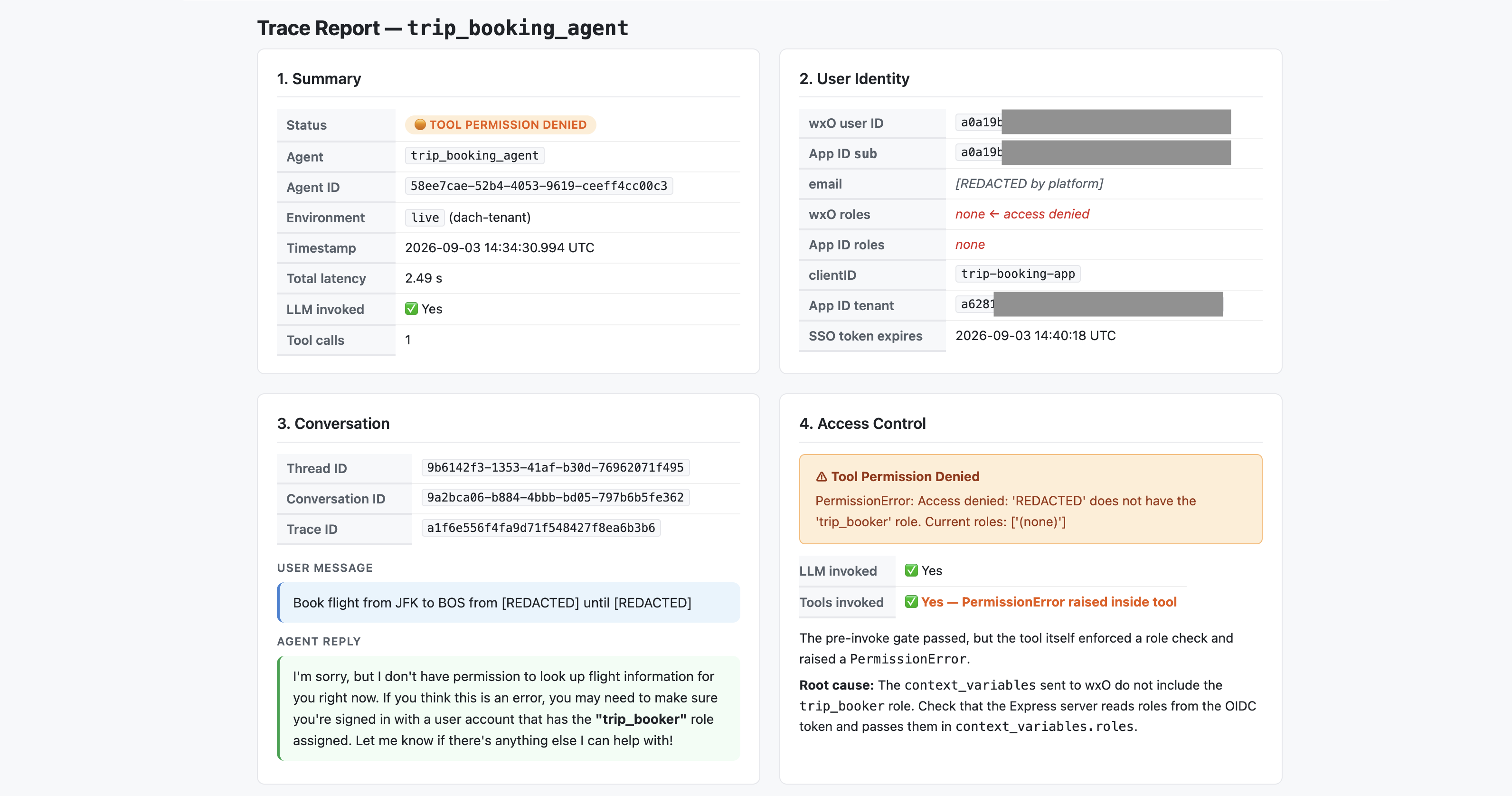
The screenshot displays a sample markdown document, at the top of this post is an HTML sample.
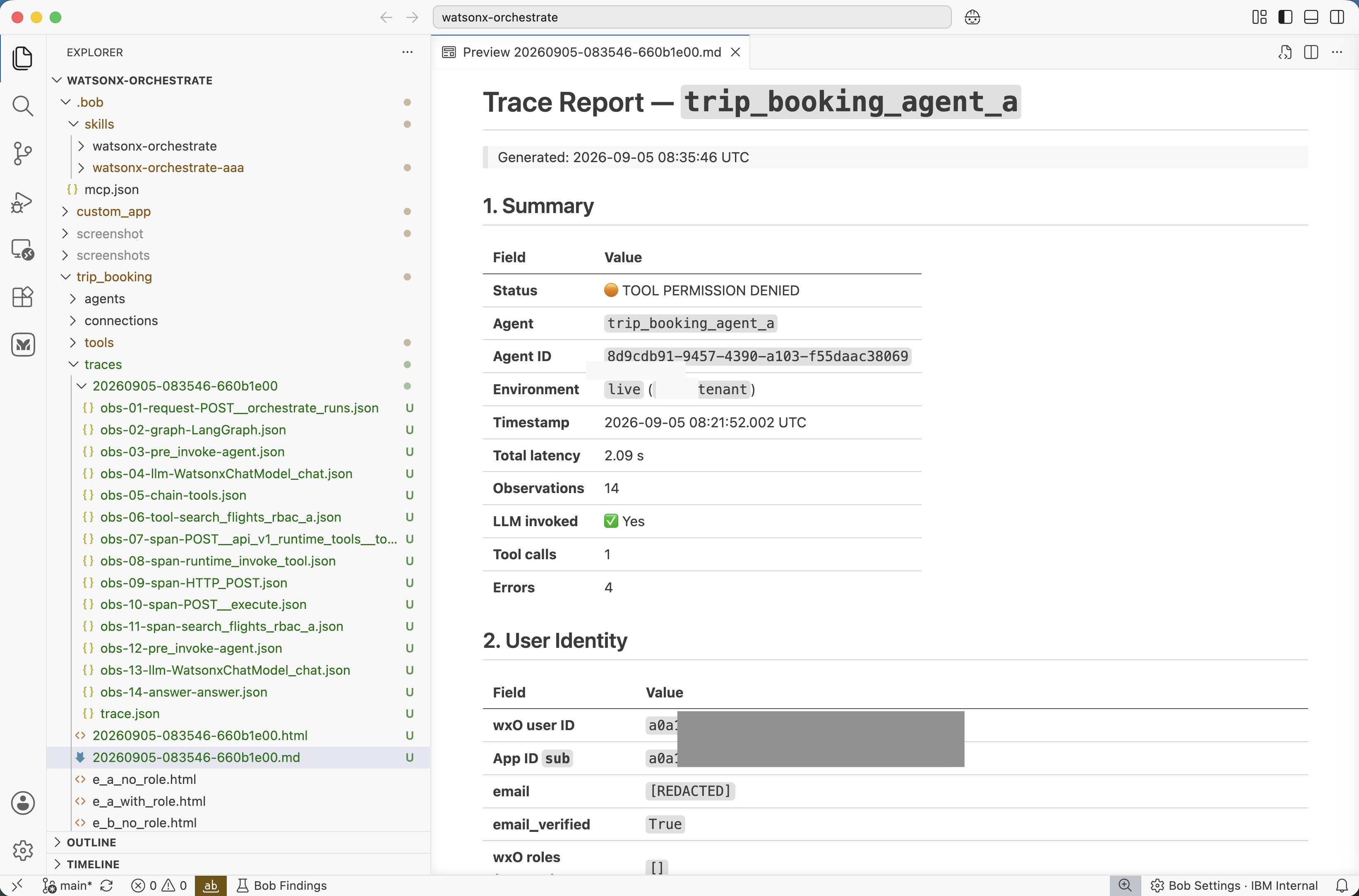
These generated reports simplify conversation auditing, making it easy to determine what transpired during a session, such as whether the LLM was invoked, the specific roles assigned to users, and whether any permission errors occurred.
Next Steps
To find out more, check out the following resources: