
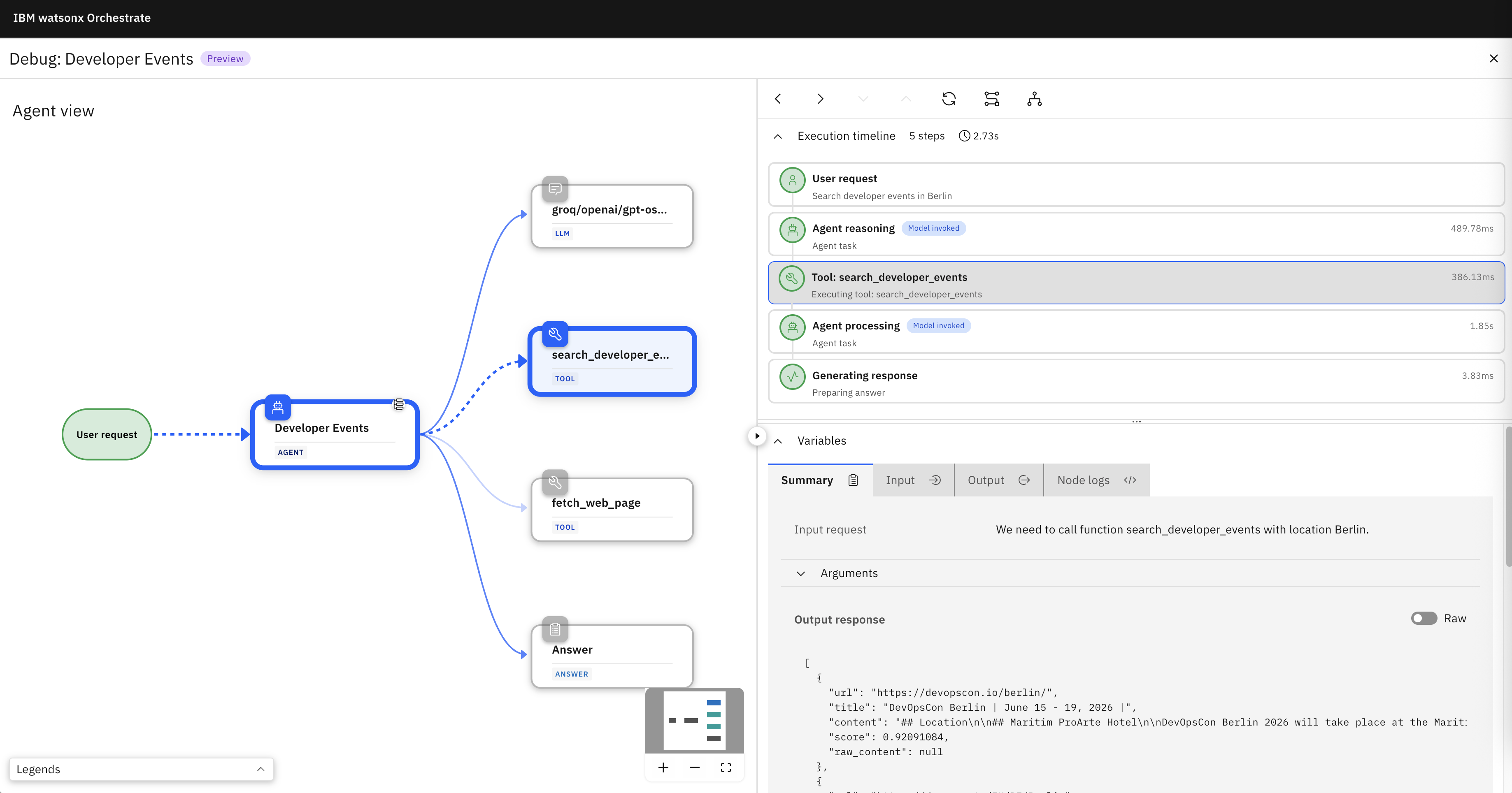
Recently new ways to debug agents have been added to IBM watsonx Orchestrate. This post shows samples of the new user interface.
There are two tools for the different types of agents:
- Agent debugger for agents following instructions
- Flow inspector for agentic workflows
Agent Debugger
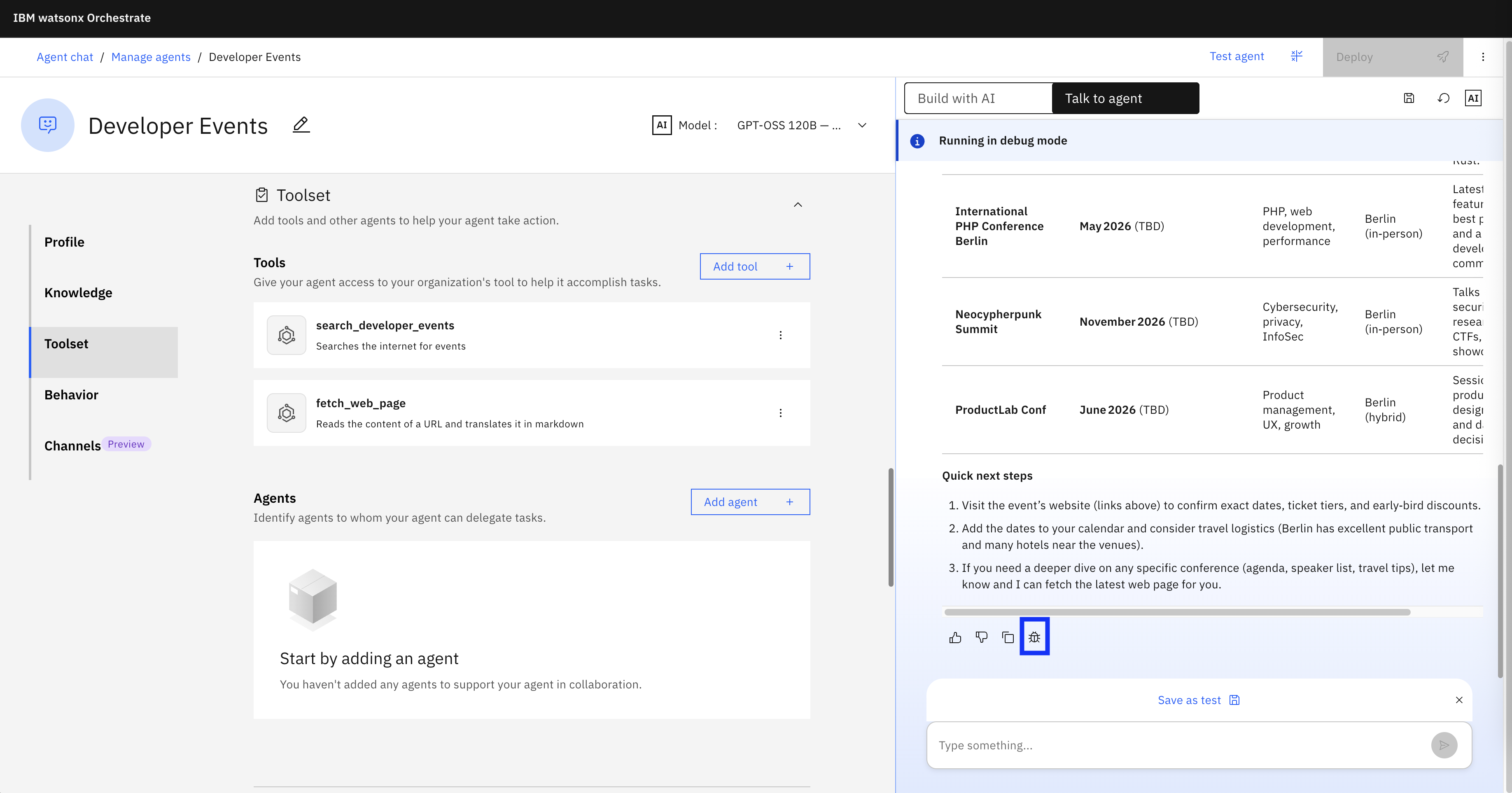
In the Orchestrate chat experience a new debug icon shows up.
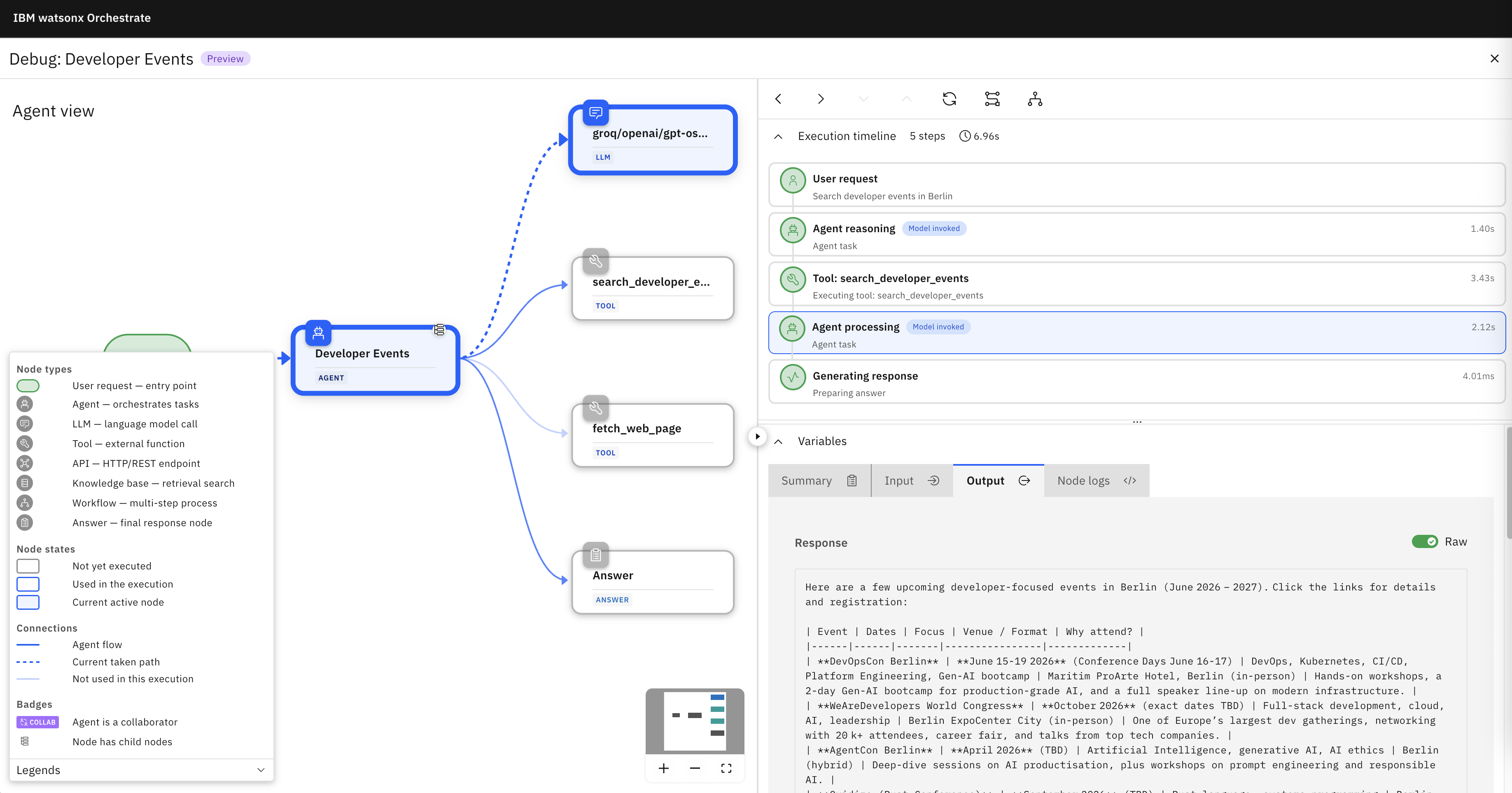
The Agent Debugger shows the structure of the agentic application and the flow.
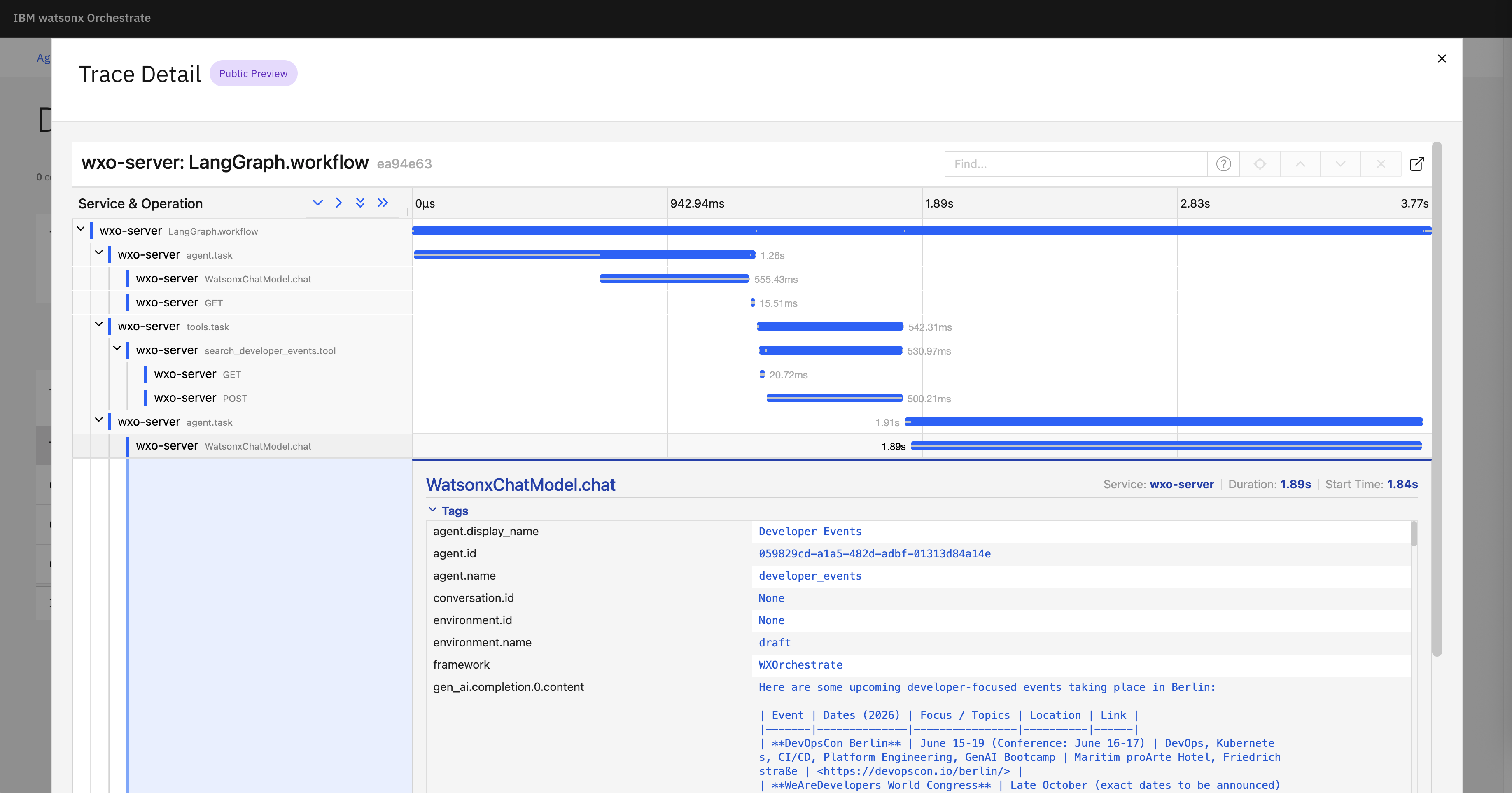
Additionally, traces can be utilized to understand agent runs.
Flow Inspector
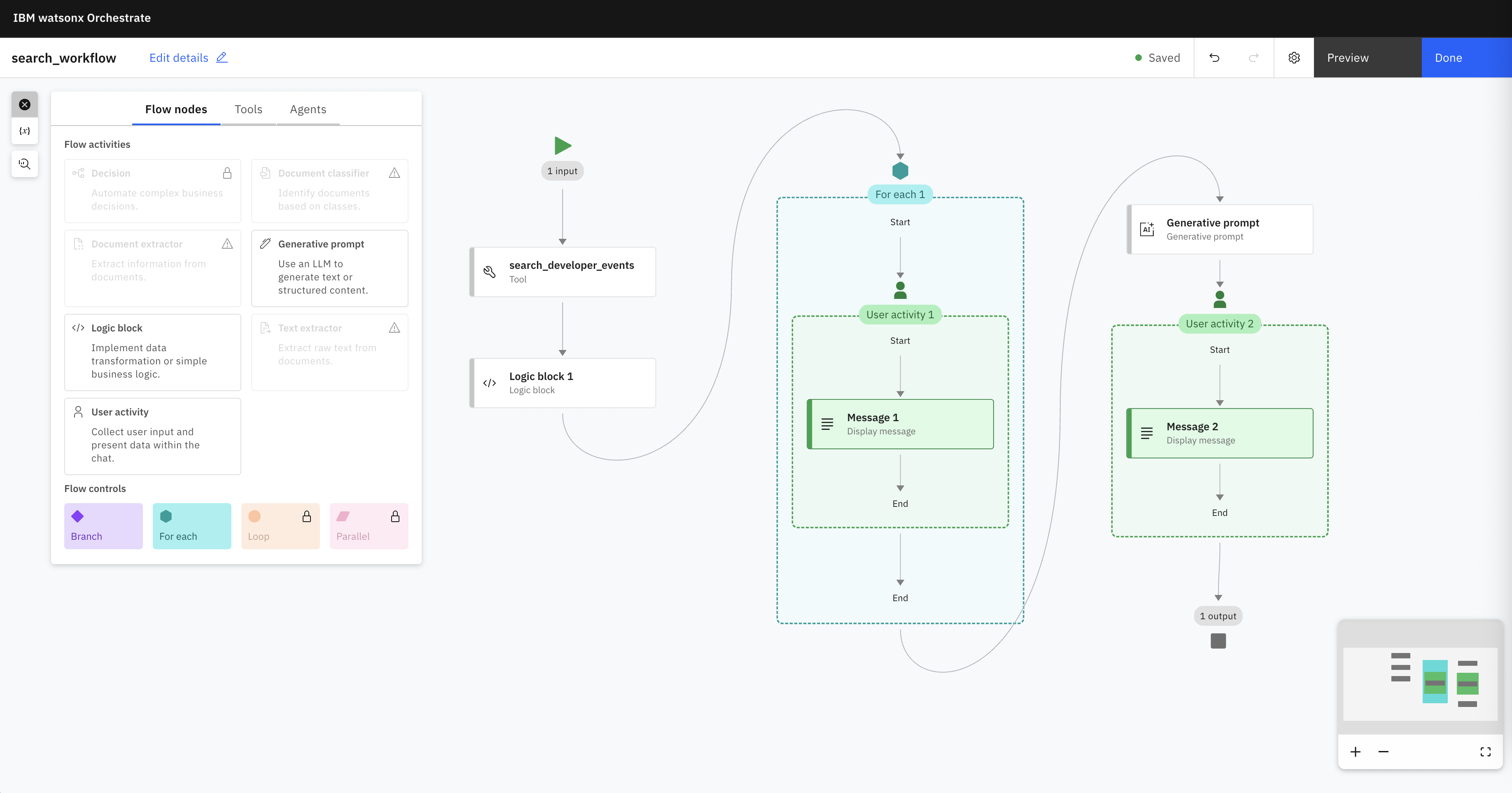
With the Flow Builder agentic workflows can be created, for example well defined steps that can utilize Large Language Models.
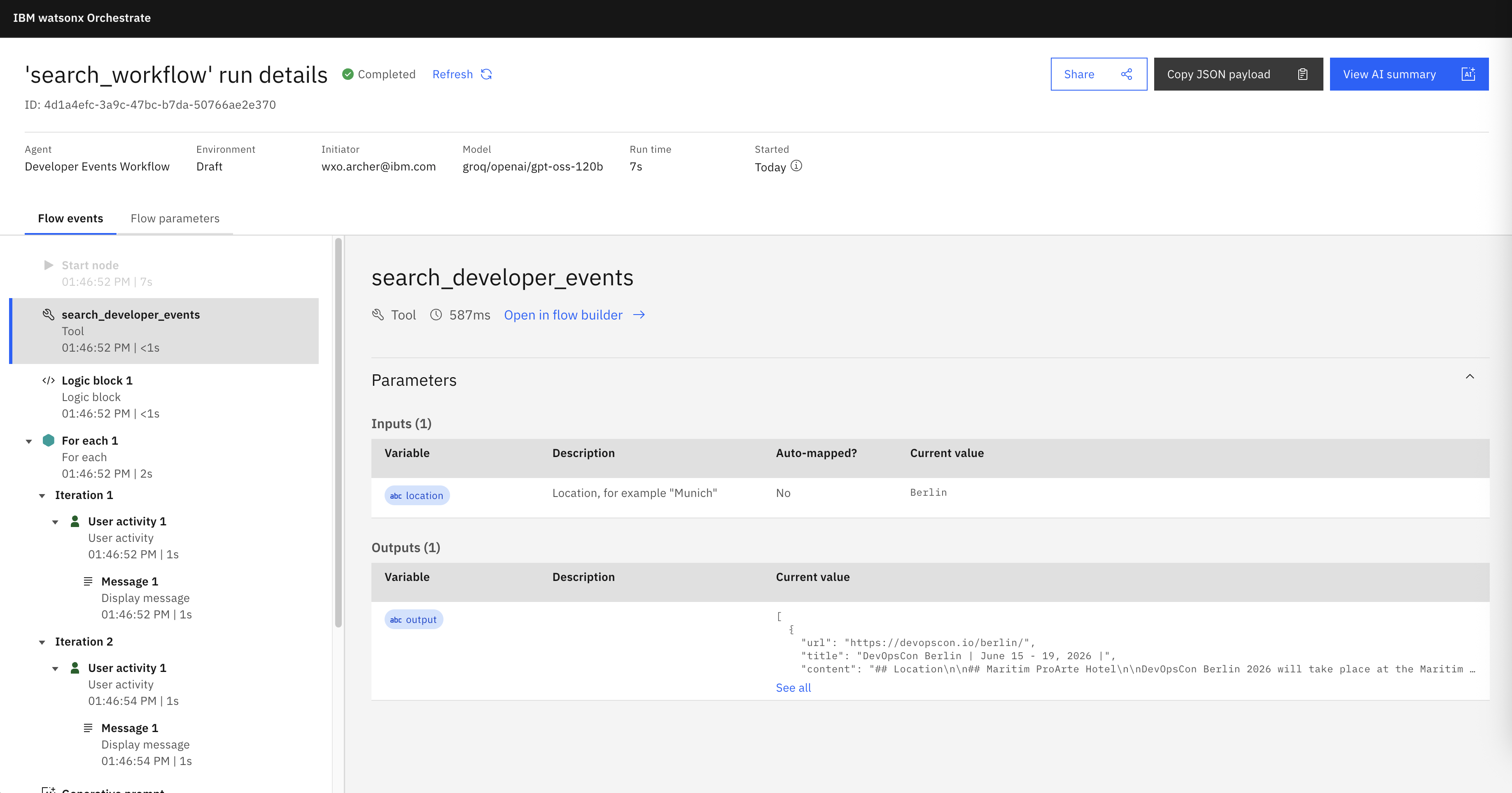
The Flow Inspector displays how workflows have been executed.
Next Steps
To find out more, check out the following resources: