
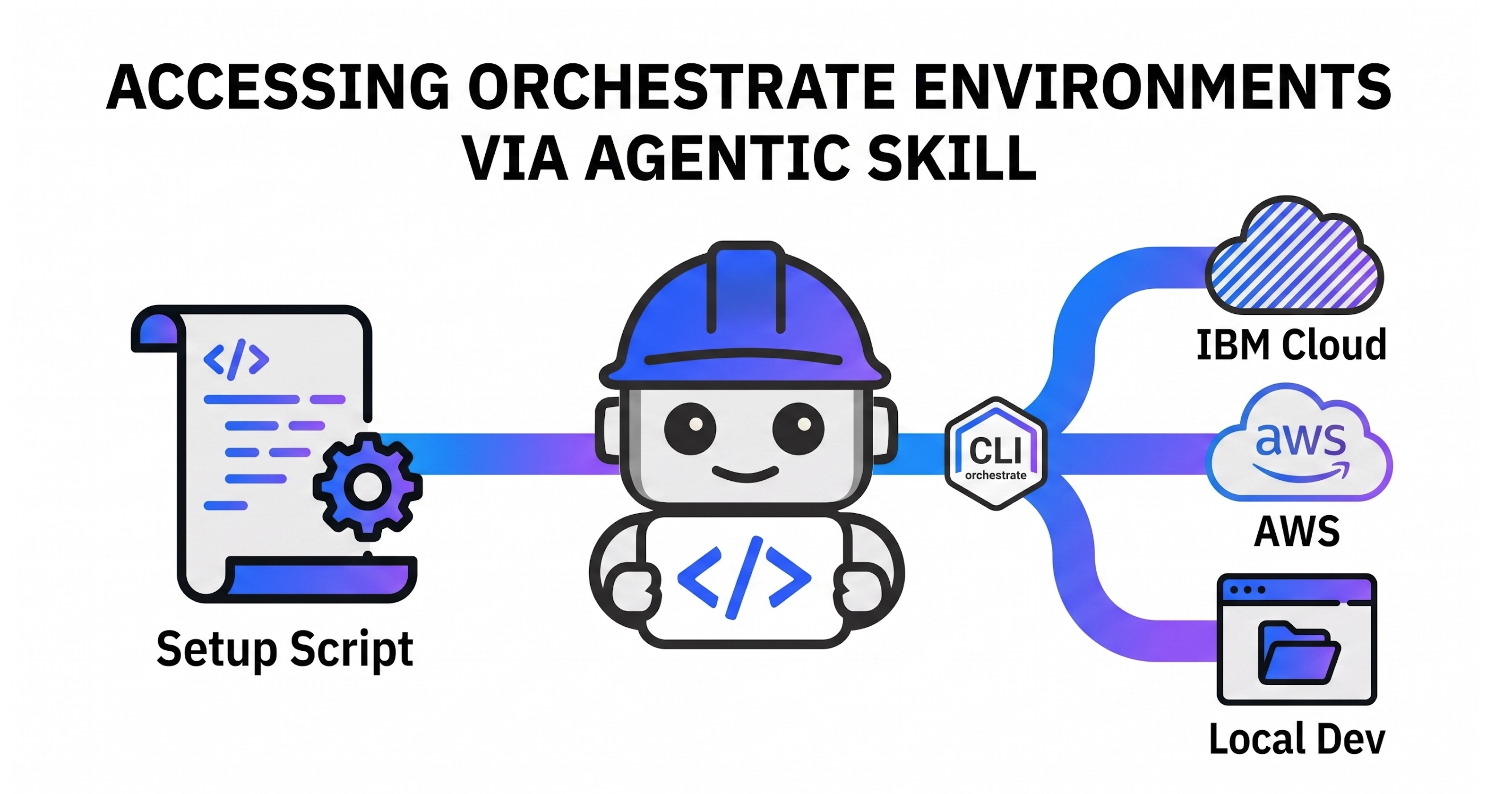
Agentic software development tools like IBM Bob can do much more than just generate code. Their real power emerges when they directly access live environments to run, test, and monitor code. This post covers a new watsonx-orchestrate skill that allows developers to access IBM watsonx Orchestrate systems directly from Bob, eliminating manual workflows.
Previously, I blogged about the new watsonx-orchestrate skill which is fully open-source. It includes functionality to automatically set up the Orchestrate ADK’s command line interface (CLI).
For more details, you can check out my related blog posts:
- New Agentic Skill for watsonx Orchestrate
- Accessing watsonx Orchestrate Environments via Agentic Skill (this post)
- Testing multi-turn Conversations in watsonx Orchestrate via Agentic Skill
Functionality
I think the most valuable feature of the skill is the ability to test and run agents inside actual Orchestrate environments rather than merely generating local code. With live environment access, tools like Bob can see exactly how agents perform and capture errors in real time.
This integration relies on the ‘orchestrate’ CLI, which connects to various environments:
- watsonx Orchestrate in IBM Cloud (SaaS)
- watsonx Orchestrate on AWS (SaaS)
- watsonx Orchestrate software (on-premises)
- watsonx Orchestrate local Developer Edition
While Bob can configure the CLI using only the documentation MCP server, our dedicated script makes the process far more reliable and token-efficient. Special thanks to Jan Forster for providing the script.
Script
The setup-venv.sh script is bundled with the skill. Instead of being loaded into the LLM context window, it executes directly. It automatically handles different Python versions, ADK releases, and operating systems.
Here are the key parts of the script:
1
2
3
4
5
6
7
8
9
10
11
12
13
14
15
16
#!/bin/bash
#
# Idempotently:
#   1. Installs uv (if not present) for Windows/Linux/macOS
#   2. Creates a .venv (if not present)
#   3. Installs ibm-watsonx-orchestrate into the .venv
#   4. Activates the .venv in the current shell
#
# Usage (MUST be sourced so activation persists in the calling shell):
#   source ./setup_venv.sh
...
curl -LsSf https://astral.sh/uv/install.sh | sh
...
uv venv .venv --python "${_PYTHON_VER}"
...
uv pip install --python "${_VENV_PYTHON}" ibm-watsonx-orchestrate==2.10.0
The accompanying SKILL.md file outlines how and when to run the script:
1
2
3
4
5
6
7
8
9
10
11
**Critical**
- Always run the script 'source ./.bob/skills/watsonx-orchestrate/references/setup-venv.sh'
  before doing anything else and before running the 'orchestrate' CLI!

[...]

## 10. References (load on demand)

| File | Contents |
|------|----------|
| [references/setup-venv.sh](references/setup-venv.sh) | Creates virtual Python environment with 'orchestrate' CLI |
Note: This script must be invoked via ‘source’. This ensures it runs inside the current shell process, sets the necessary variables in Bob’s environment, and bypasses execution permission issues.
By default the ‘orchestrate’ CLI works against the local Developer Edition which must be configured and running. You can also add and activate other remote enviornments.
Example Flow
Here is an example of the workflow in action:
1
2
3
4
5
6
7
8
9
10
11
12
13
14
15
16
17
18
19
20
21
22
23
24
25
26
27
28
29
30
31
32
33
34
**User:**

Create a new Orchestrate "Trip Booking" agent to book flights.

The agent uses a tool "Find Trip" that requires four input parameters:
1. destination airport
2. departure airport
3. start date
4. return date

The tool returns mocked data for now.

**Assistant:**

Used skill watsonx-orchestrate

[...]

Now let me set up the venv and check what's available in the environment:

$ source ./.bob/skills/watsonx-orchestrate/references/setup-venv.sh 2>&1 | tail -5
── Step 4: activate .venv ──────────────────────────────
.venv activated  (python: /Users/niklasheidloff/Desktop/orchestrate-bob/test-runs/26/.venv/bin/python)
=== Setup complete — virtual environment is active ===

[...]

$ source .venv/bin/activate && orchestrate models list 2>&1 | head -40

[...]

groq/openai/gpt-oss-120b is available. Now let me scaffold the project:

[...]
Next Steps
To find out more, check out the following resources: