
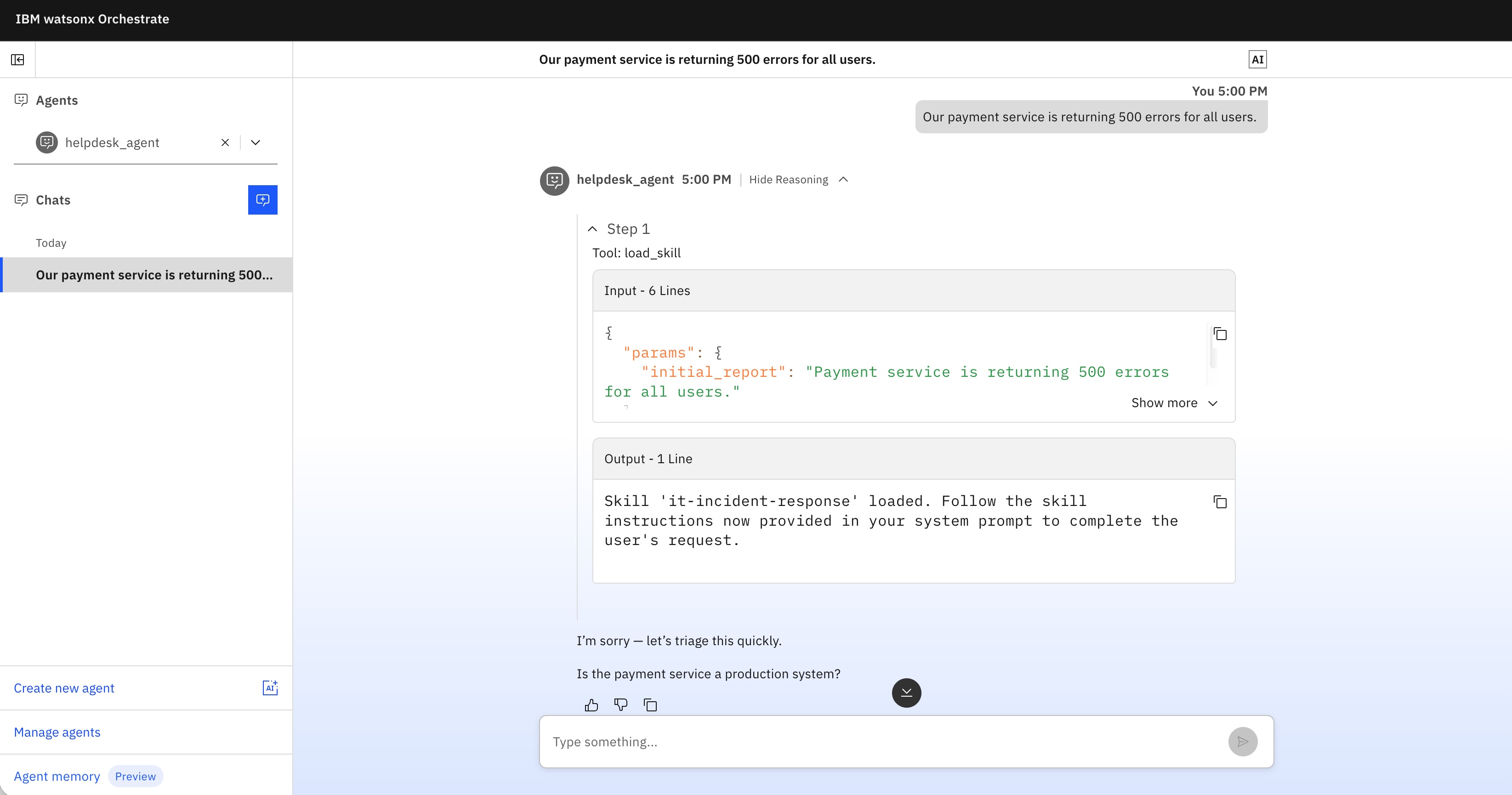
In agentic software development frameworks like IBM Bob, skills provide essential functionality to instruct agents on how to handle domain-specific tasks. With its latest release, watsonx Orchestrate now also fully supports skills, enabling enterprise agents to operate on behalf of users seamlessly and sharing instructions between agents.
In addition to textual instructions, agents can be equipped with Model Context Protocol (MCP) tools and skills. Skills offer an efficient way to load instructions into an agent’s context only when needed. This is crucial because every language model has a limited context window, the maximum length of input it can process at one time.
Originally pioneered by Anthropic, the concept of a skill revolves around a core SKILL.md file accompanied by supplementary markdown files that load dynamically on demand. Additionally, skills can include executable scripts that run without consuming tokens in the context window.
Skills are now available in watsonx Orchestrate.
Example
Let’s examine an open-source, end-to-end example featuring two agents that share the same tool and skill:
- helpdesk agent: Interacts with external users.
- sre agent: Interacts internally.
Both agents have the capability to create incident tickets.
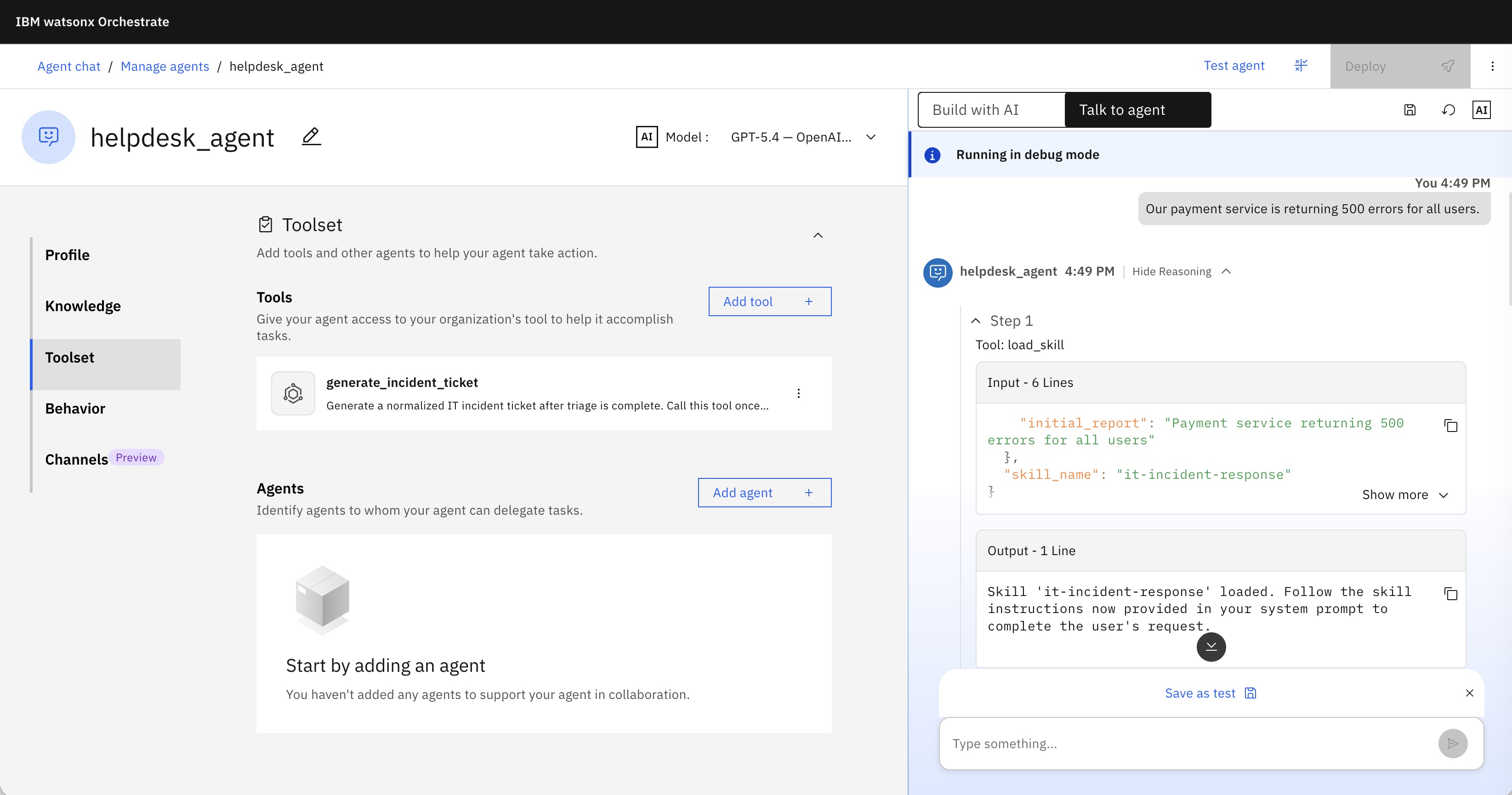
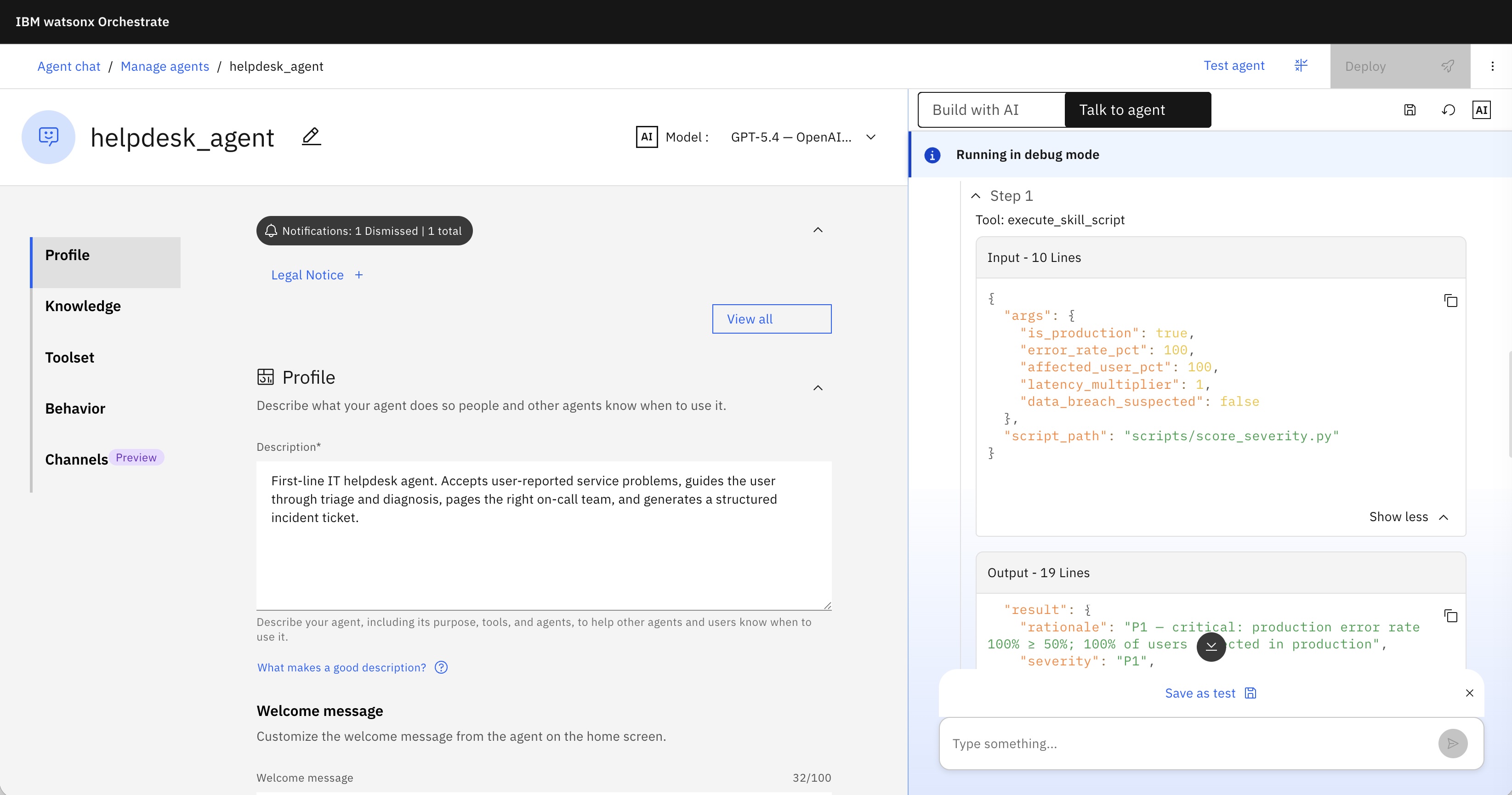
The shared skill features a SKILL.md file that dynamically loads two secondary markdown files when specific conversation states are reached. It also includes an integrated script to compute severity scores deterministically.
File structure:
1
2
3
4
5
6
7
8
9
10
11
12
13
14
15
.
├── agents/
│   ├── helpdesk_agent.yaml
│   └── sre_agent.yaml
├── tools/
│   └── generate_incident_ticket.py
└── skills/
    └── it-incident-response/
        ├── SKILL.md                 # Skill body: workflow instructions + guardrails
        ├── WXO.yaml                 # Asset manifest: declares scripts + references for upload
        ├── scripts/
        │   └── score_severity.py    # Skill script: deterministic P1–P4 severity scoring
        └── references/
            ├── severity-levels.md   # P1–P4 definitions, criteria, SLA targets
            └── escalation-matrix.md # Contact directory + timeline per severity
When starting a conversation the skill is activated:
You can also see that the script is invoked:
The reference markdown files are loaded dynamically when the conversation reaches specific milestones within the skill workflow.
Implementation
The SKILL.md file contains instructions for the agents. Only the metadata at the top is loaded initially; the rest of the file and its reference documents load strictly on-demand. Scripts bypass the context window entirely and execute directly.
1
2
3
4
5
6
7
8
9
10
11
12
13
14
15
16
---
name: it-incident-response
description: >-
  Step-by-step IT incident response workflow: triage, diagnose, escalate, and
  document. Attach to any agent that handles IT alerts or helpdesk tickets so
  that all agents follow the same consistent procedure, severity definitions,
  and escalation contacts.
---

# IT Incident Response Skill

This skill defines the standard **Triage → Diagnose → Escalate → Document**
workflow for IT incidents. Every agent that attaches this skill must follow
these steps in order when a user reports a service disruption, alert, or
outage.
...
Agents enable skills via their configuration manifests:
1
2
3
4
5
6
7
8
9
10
11
12
13
14
spec_version: v1
kind: native
name: helpdesk_agent
description: >-
  First-line IT helpdesk agent. ...
instructions: >
  You are the IT Helpdesk assistant. ...
llm: azure-openai/gpt-5.4
style: react_core
tools:
  - generate_incident_ticket
skills:
  - it-incident-response
...
Design Decisions
Next are are some explanations why and how the skill has been built:
Why a skill instead of ‘instructions:’?
The skill workflow and the severity/escalation reference data are shared across ‘helpdesk_agent’ and ‘sre_agent’. Putting it in ‘instructions’ would mean duplicating and manually syncing the text. The skill is imported once, versioned, and attached with a single line in each agent YAML.
Why are ‘severity-levels.md’ and ‘escalation-matrix.md’ separate files?
They change at different rates. SLA targets (severity) are relatively stable; the contact directory and escalation timelines (escalation matrix) change whenever staff or on-call schedules change. Keeping them separate lets you update one without touching the other or re-importing the skill.
Why does the skill have a script (‘score_severity.py’) rather than relying on the LLM to read the severity table?
Skill scripts run in isolation (no network, no file I/O) and are pure computation, exactly right for a deterministic rule table. Severity assignment has real consequences (wrong SLA, wrong on-call paged), so it should not be approximated by LLM inference from prose. The script encodes the rules once; the reference file ‘severity-levels.md’ serves as a human-readable fallback when inputs are incomplete.
Why is ‘generate_incident_ticket’ a separate tool, not part of the skill?
Skills are portable knowledge/procedure, a markdown file the model reads. Tools are executable artifacts with typed I/O. The skill describes when and why to create a ticket. The tool provides the how, a deterministic, typed, timestamped record. Keeping them separate means the ticket format can evolve independently of the skill’s workflow prose, and the tool can be reused by agents that don’t attach this skill.
Next Steps
To find out more, check out the following resources: