
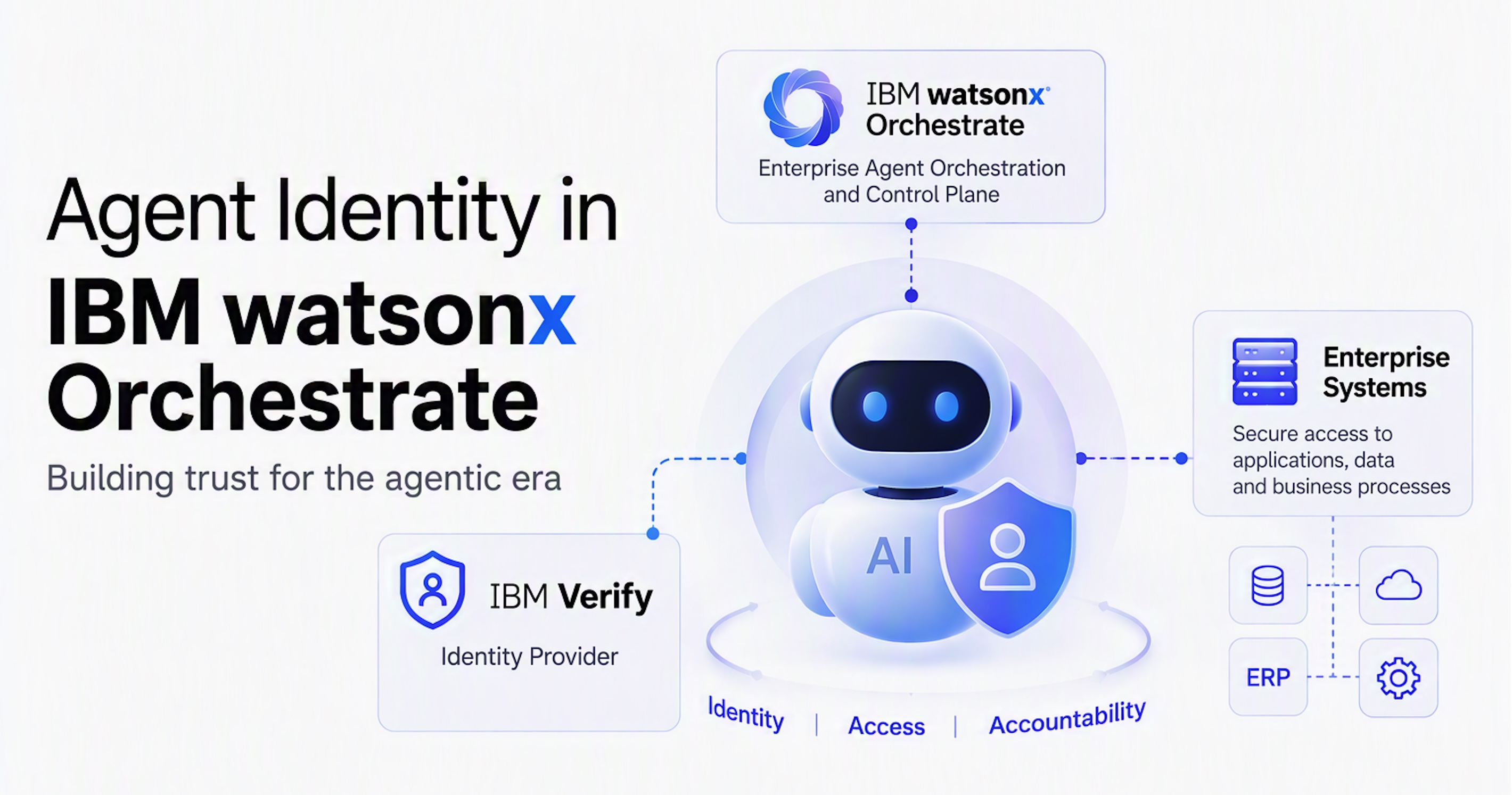
At TechXchange, IBM announced the general availability of IBM Agent Identity. This post explores an example of how to use Agent Identity in watsonx Orchestrate.
The official announcement highlights the critical importance of agent identity:
As AI agents take on more autonomous actions across enterprise systems, organizations need a consistent way to establish the agent’s identity, what authority they have and how their actions are governed. […] It helps enterprises treat AI agents as first-class identities and secure them across their lifecycle by bringing registration, delegation, enforcement and governance into a coordinated identity control plane. […] Many organizations cannot consistently answer basic questions: Which agents are operating in the environment? Who owns them? What authority do they have? Which actions did they take and under whose direction?
Traditionally, agents running on behalf of users have relied on user impersonation. Tools were executed using specific user credentials, granting the agent the exact same rights as a human user performing the action manually.
Agent Identity addresses this limitation by granting agents only the minimum required privileges through delegation. For example, an agent might be authorized to cancel a hotel reservation for a specific user, but lack the permission to book an upgrade autonomously. Furthermore, access rights can be configured to be temporary, expiring automatically using technologies like HashiCorp Vault.
Example
The example uses IBM Verify as Identity Provider against which watsonx Orchestrate users authenticate. Orchestrate has been configured so that agents and tools can run on behalf of users via OAuth Token Exchange. The sample agent accesses ServiceNow via a REST API tool.
Additionally, the new Agent Identity capability in IBM Verify is leveraged and Orchestrate has been configured to work with it.
Agent Identity
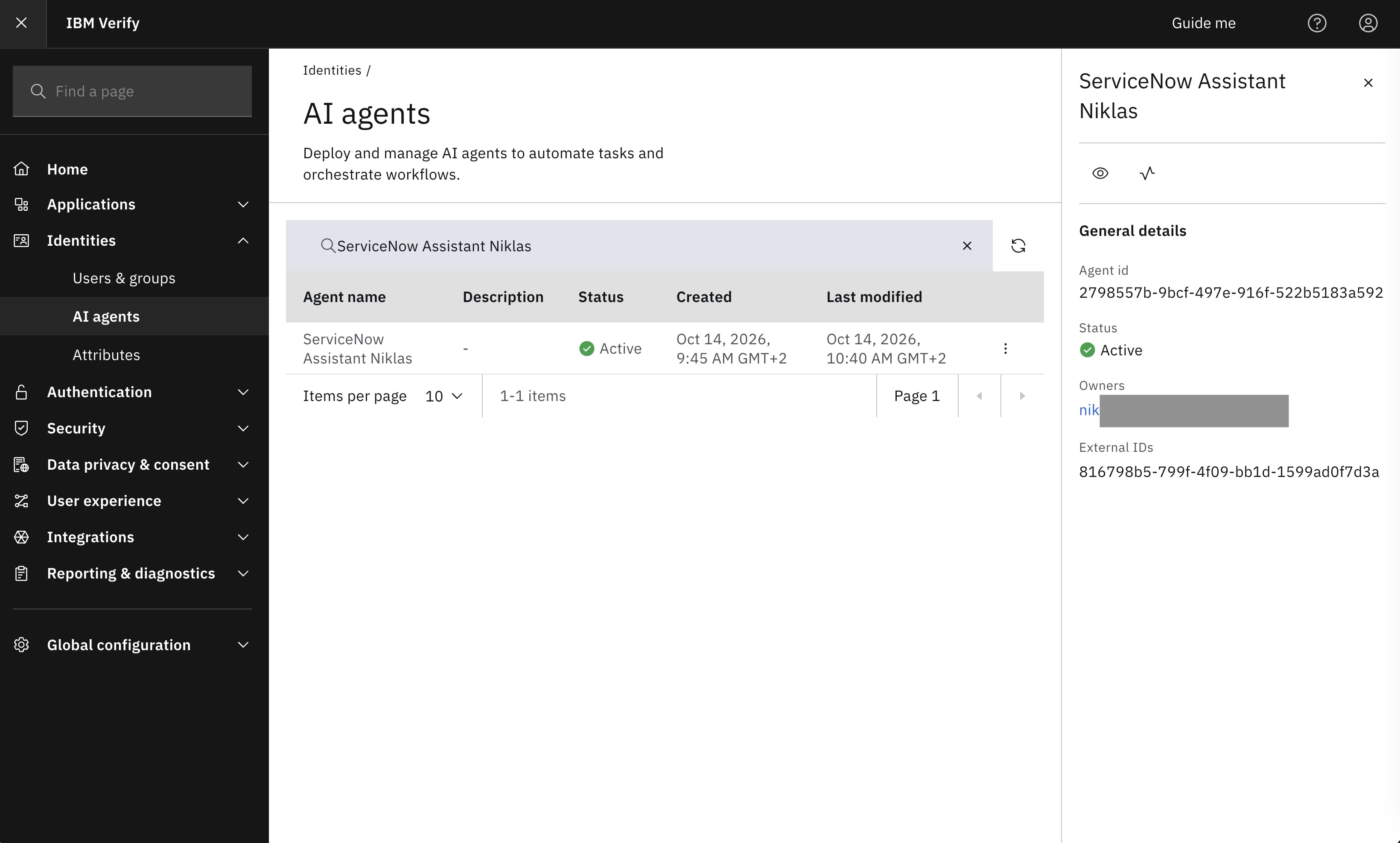
Agents from watsonx Orchestrate show up on the new ‘AI agents’ page in IBM Verify.
watsonx Orchestrate
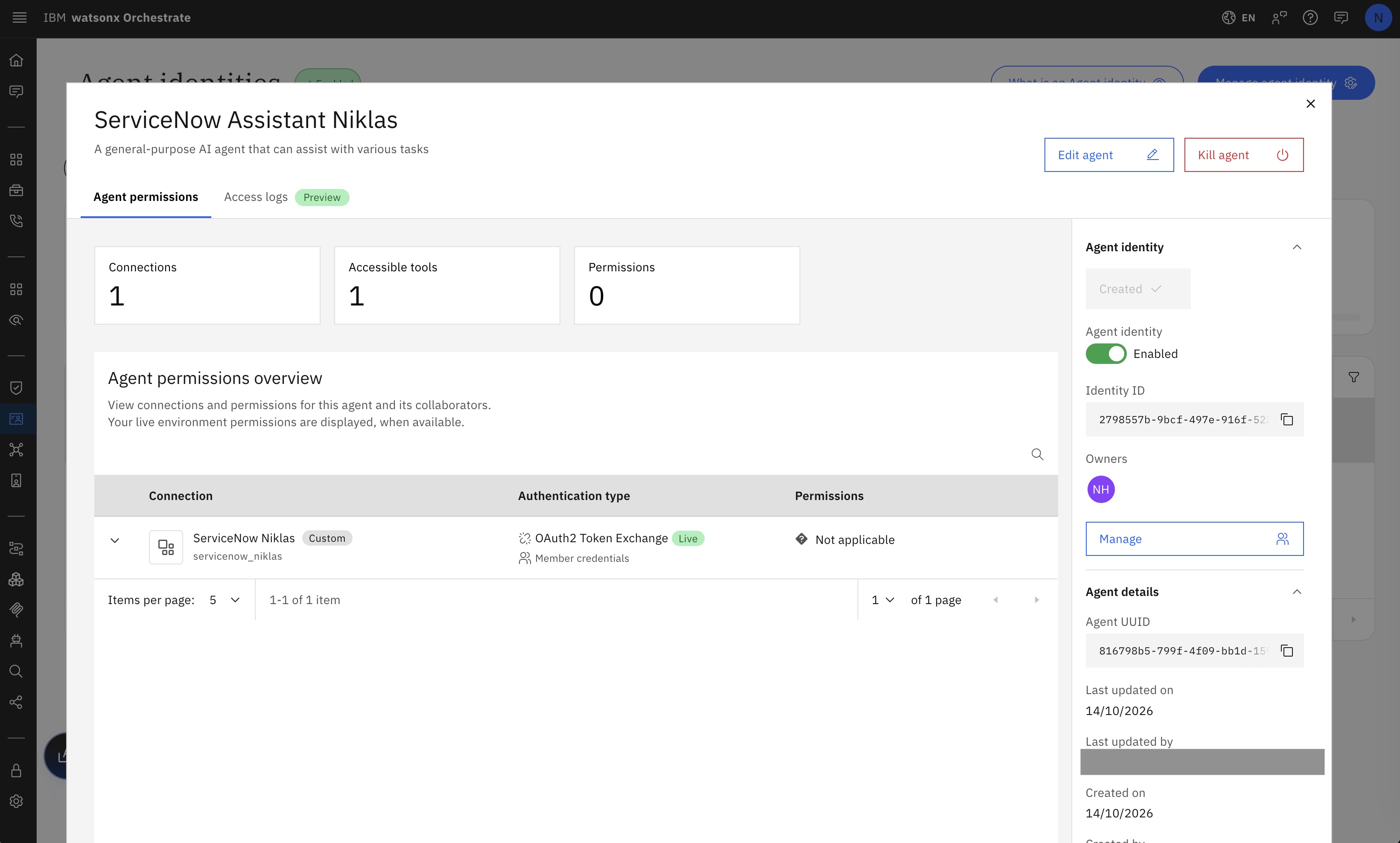
In Orchestrate, agents can be enabled with an assigned agent identity. In this case, agents utilize two distinct identifiers:
- Identity ID: The new identity ID, which also appears in the Verify interface shown above.
- Agent UUID: The unique Orchestrate agent ID used when invoking specific agents (displayed in Verify as External IDs).
The next screenshot also features a key safety capability: a prominent ‘Kill agent’ button in the upper right corner, which immediately disables the agent if security issues arise.
Observability
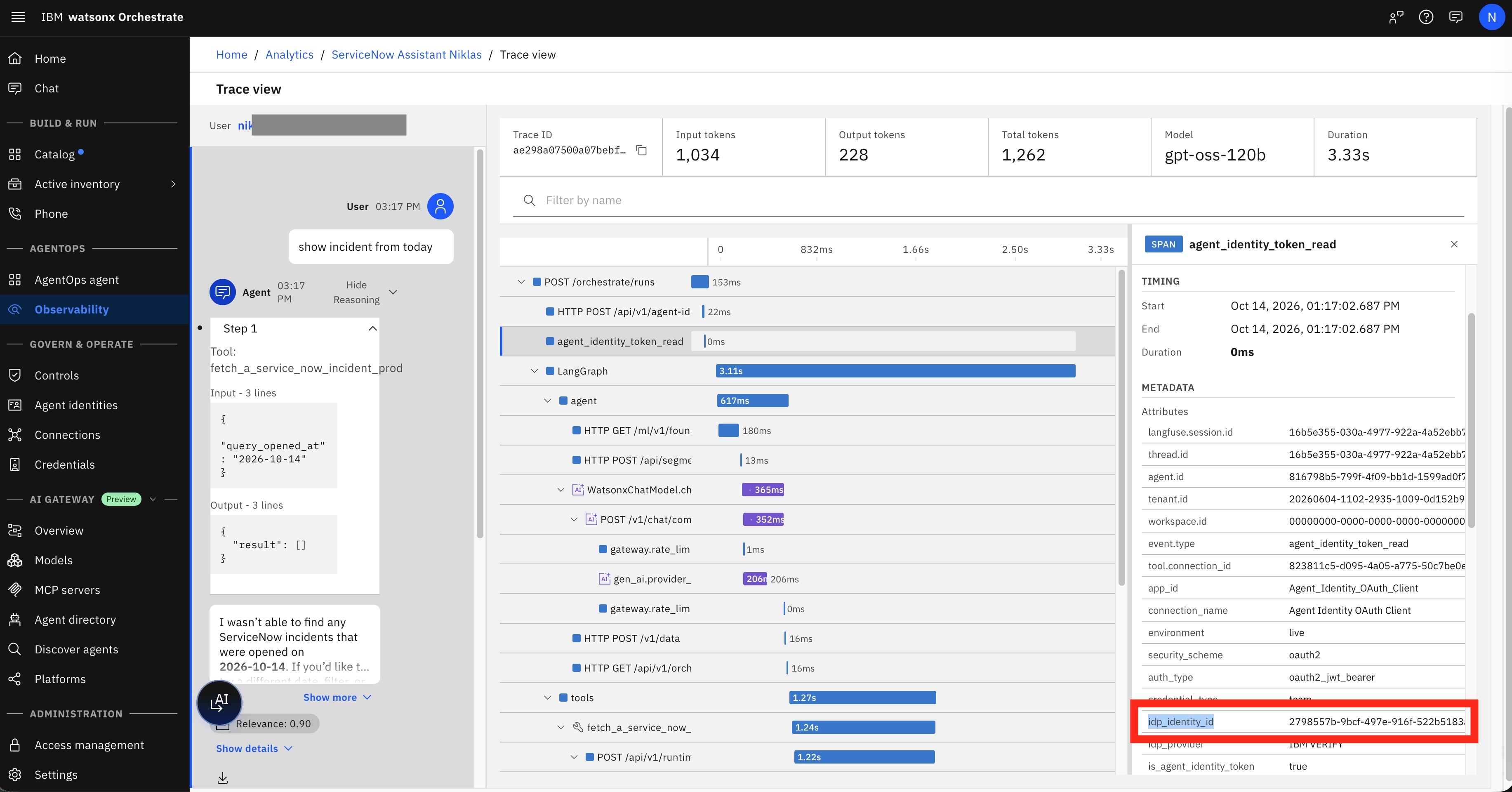
Execution traces capture both the User ID (located in the upper left corner) and the Agent ID (highlighted in the red rectangle).
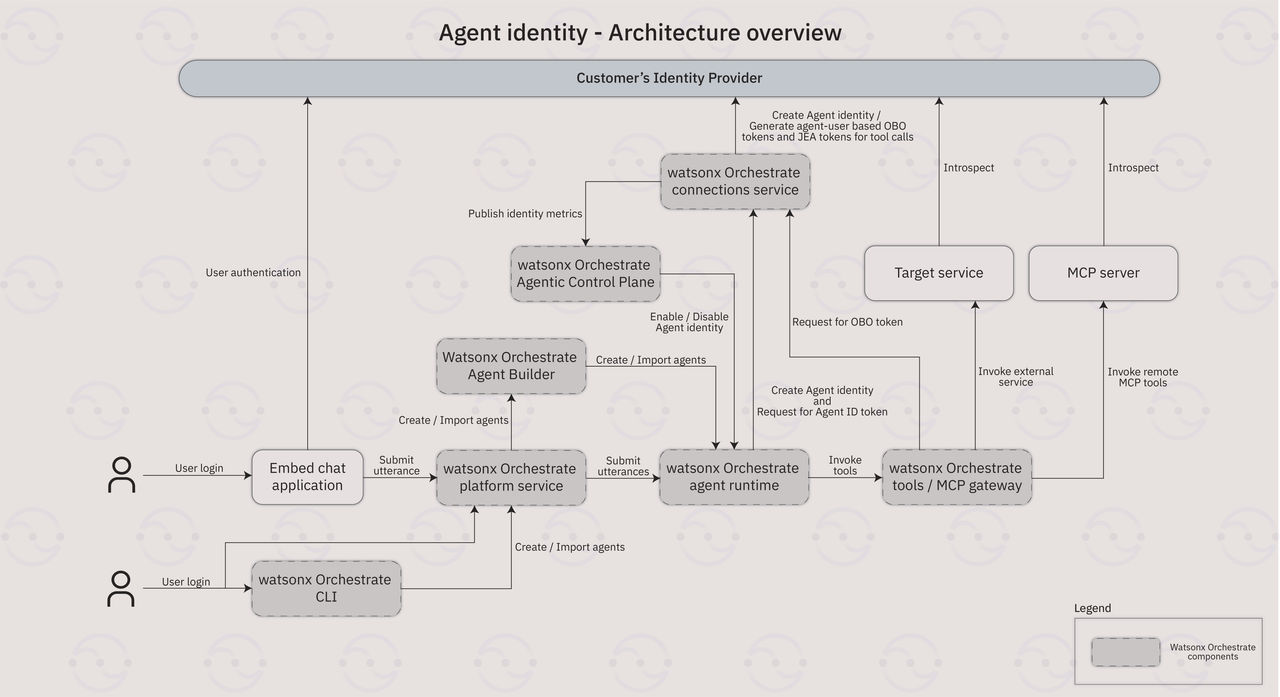
Architecture
For a detailed overview of the system design, please refer to the official architecture documentation.
Setup
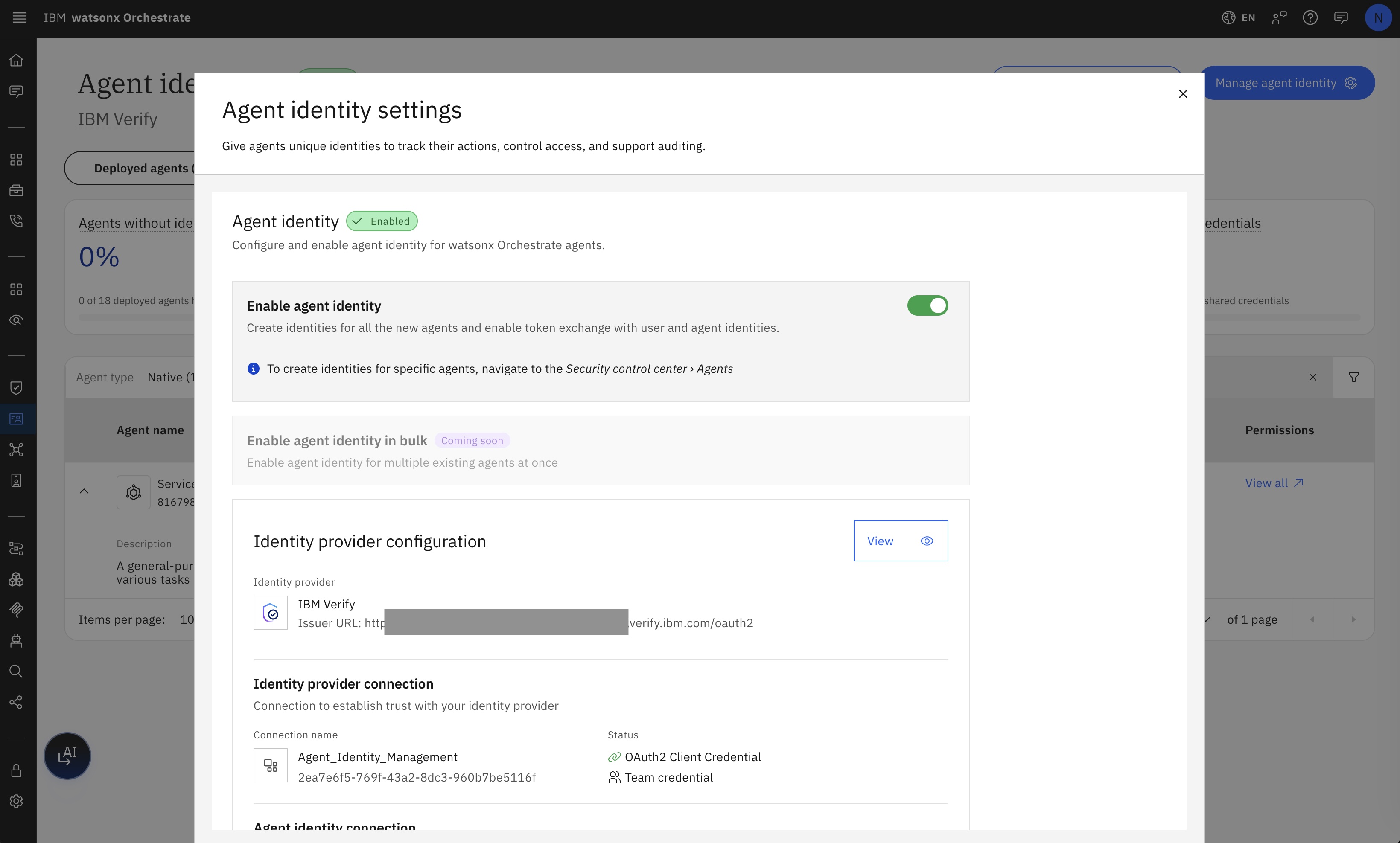
Consult the documentation for complete, step-by-step setup instructions.
Next Steps
To find out more, check out the following resources: