
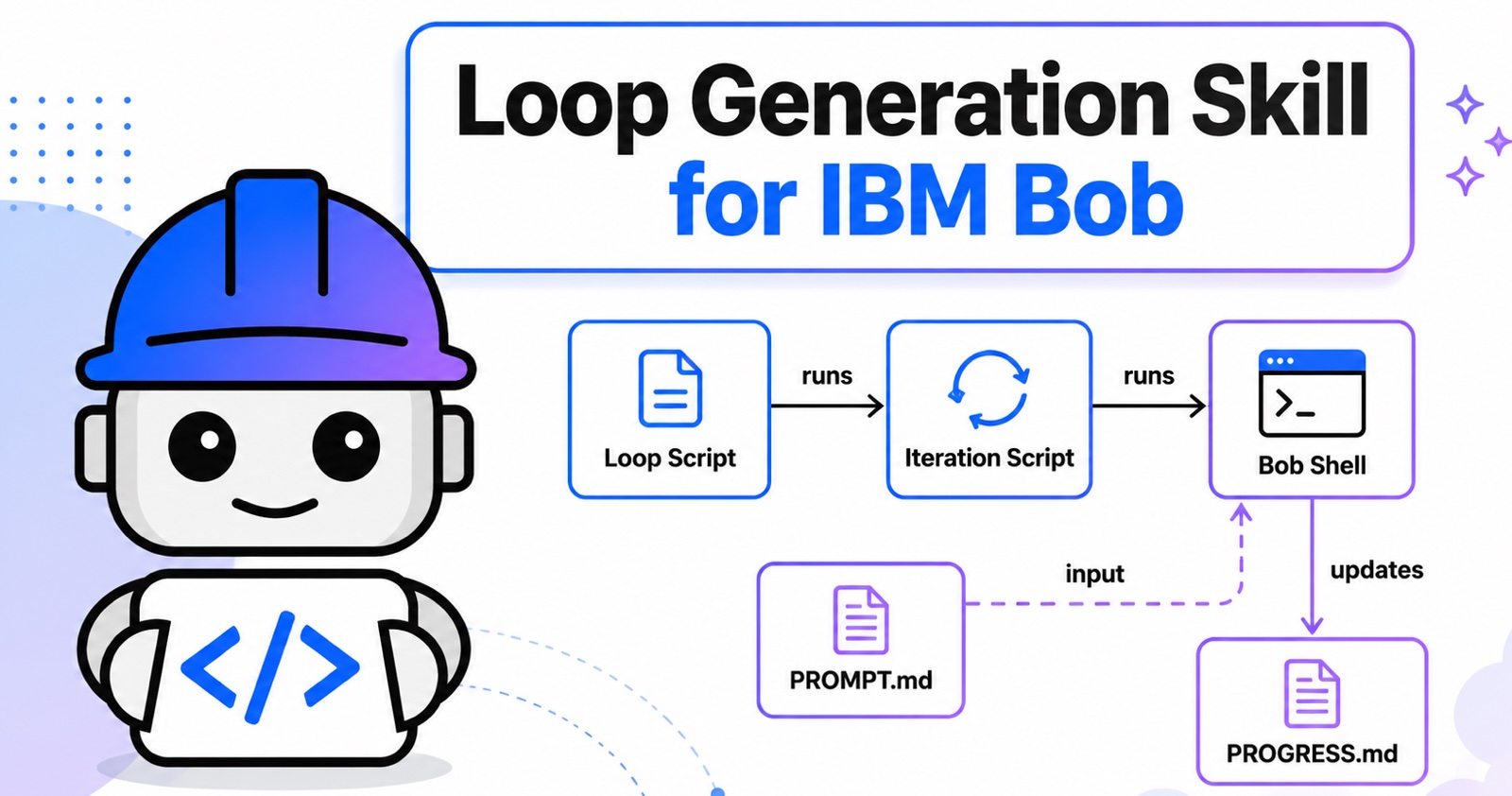
When using AI-powered software development tools, finding the right balance between agent autonomy and developer control is a constant trade-off. The agentic development tool IBM Bob is primarily built to be a collaborative partner, but by leveraging the Bob CLI in non-interactive mode, you can unlock the full power of automated, multi-iteration execution loops.
OpenClaw inventor and AI coding visionary Peter Steinberger recently shared his perspective on how to leverage AI-based coding tools:
Here’s your monthly reminder that you shouldn’t be prompting coding agents anymore. You should be designing loops that prompt your agents.
Granted, not everyone has a $1.3 million token budget, and losing control to an autonomous AI can sound daunting. However, there are excellent use cases where loops are highly effective.
Example
Let’s look at a practical example. In this scenario, the AI agent performs a job requiring several iterations without needing developer intervention. Once complete, developers can review the generated code and decide whether to merge it. This ensures the developer always stays in control.
The following prompt instructs Bob to use react-doctor to improve the quality of the React frontend applications. The react-doctor assigns a score from 0 to 100 to React code. Think of it as an advanced linter tool. For this example, I used the Galaxium Travels application.
1
2
3
4
5
6
7
8
9
Generate a loop for the following task.

Bring every production React app in this repository to a freshly verified React Doctor
score of 100/100. Inventory app roots, record a full 'npx react-doctor@latest --verbose'
baseline, fix one root cause at a time, and rerun the full scan plus relevant typecheck,
lint, tests, and builds. Never hide findings with exclusions, ignores, suppressions,
deleted behavior, or relaxed rules. Stop at 100/100 for every app, blocked,
approval-required, or no measurable progress; preserve unrelated work and report exact
proof.
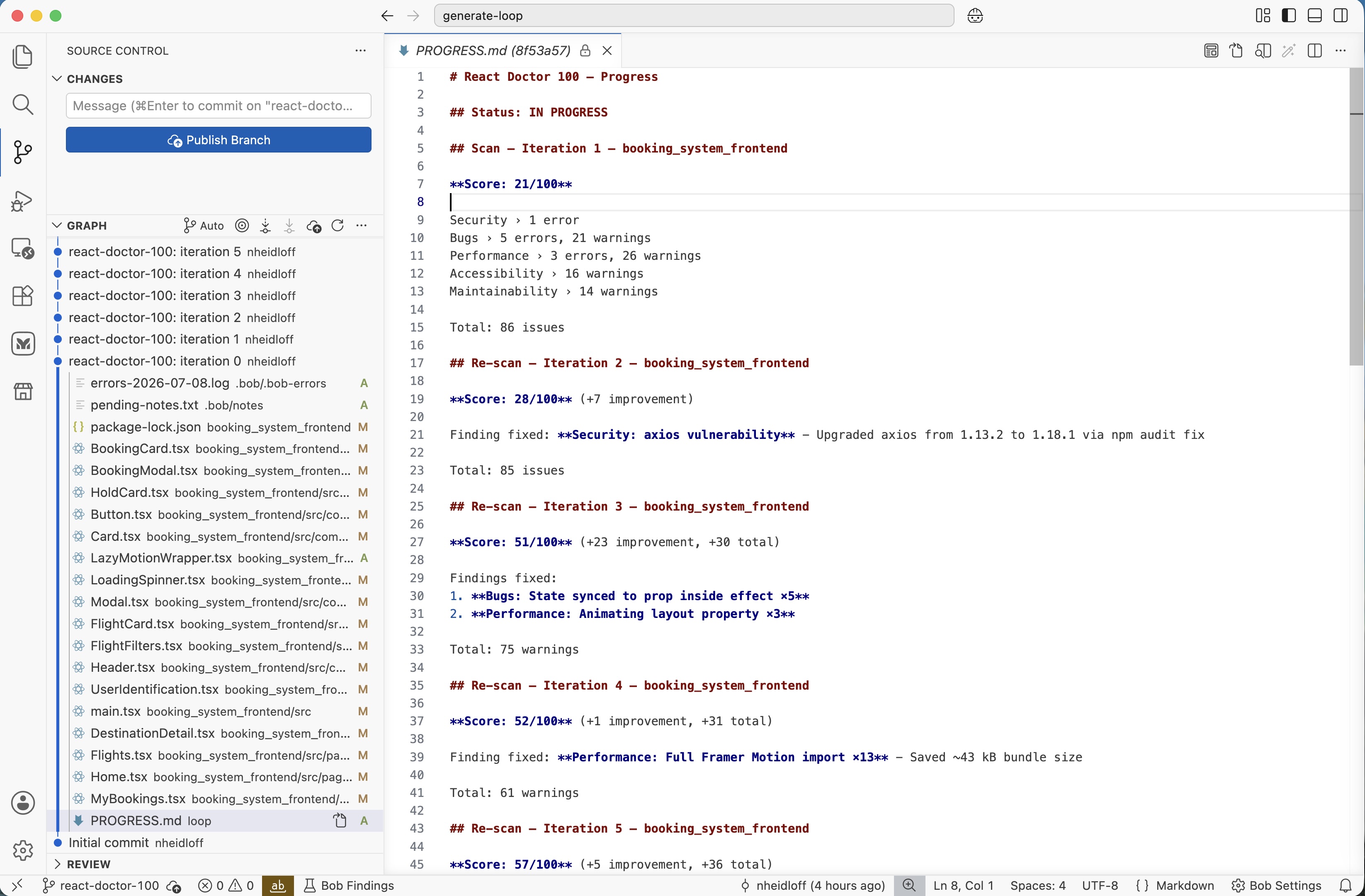
As result various issues in the React code are fixed in several iterations.
Skill
While you can run this prompt directly in the Bob IDE to fix the most critical issues, achieving a perfect 100/100 score is difficult and sometimes impossible in a single run. Resolving isolated issues effectively requires multiple iterations.
This is where the skill I open sourced comes into play. The skill automatically creates the necessary scripts to run a multi-iteration loop. This core concept is inspired by the Ralph Wiggum loop pattern.
The loop invokes the Bob CLI in each iteration. Every iteration starts with a fresh context window. State is stored in a ‘progress’ markdown file so subsequent iterations understand what has already been accomplished.
The skill takes a user prompt and converts it into scripts and prompts. For the example prompt above it generates these files:
To install the skill, copy the the directory ‘generate-loop’ into your ‘.bob/skills’ directory.
Workflow
Depending on your operating system, you will execute either loop.sh or loop.ps1. These scripts include built-in functionality to automatically install the Bob CLI if it isn’t already present.
The loop script runs multiple iterations until a predefined exit criterion is met such as reaching a React Doctor score of 100.
The iteration.sh script primarily serves to invoke the Bob CLI:
1
2
3
4
5
6
7
BOB_OUTPUT=$(cat "$PROMPT_FILE" | bob \
    --auth-method api-key \
    --accept-license \
    --sandbox \
    --yolo \
    --allowed-tools read_file,write_todos,write_to_file,run_shell_command \
    --output-format=stream-json)
The PROMPT.md file provides specific context and instructions to the model, detailing exactly how to execute and interpret the React Doctor tool.
Skill Implementation
The skill definition itself is quite straightforward. It includes an installation script for the Bob CLI alongside instructions on how to generate the scripts and prompts based on the Ralph Wiggum loop pattern:
1
2
3
4
5
6
7
8
9
10
11
12
13
14
15
16
17
18
19
20
21
22
23
24
25
26
27
28
29
30
31
32
33
34
35
---
name: generate-loop
description: >-
  Generate an agentic loop that can be run autonomously without user interation.
  Script(s) are created that invoke IBM Bob Shell which is the 'bob' command line interface.
  Use this whenever the user mentions loop or loops generation.
metadata:
  enabled: true
---

Agentic loops run long taking tasks autonomously by leveraging well defined deterministic scripts
to trigger the AI-based development tool Bob for non-deterministic tasks.

Scripts make the loops more reliable. If something can be done via script, prefer it versus AI.
Generate all scripts that are necessary.

The user input contains two pieces of information:
1. WHAT needs to be done
2. DONE - definition of when the loop is done

Plan carefully how to break down the 'WHAT' into multiple steps/iterations!
Define in the script when the goal is reached ('DONE')!

Create the following directories and files:
- [project root directory]
  - loop directory
    - [loop name].sh
    - [iteration name].sh
    - [prompt name].md
    - README.md instructions how to run the loop(s)

The scripts need to work on MacOS, Windows and Linux.

If the repo has no .git, initialize it. Before changing anything create a git branch. After every
iteration, changes need to be committed to that branch.
Next Steps
To find out more, check out the following resources: