

gpt-oss-120b is a powerful Large Language Model from OpenAI available as open-source. This post describes how to utilize gpt-oss-120b in watsonx Orchestrate agents.
Watsonx Orchestrate is IBM’s platform to build and run multi-agent systems. Agents often need to use strong models which support tool calling, structured output, reasoning and more advanced capabilities. For this purpose, Orchestrate agents can access gpt-oss-120b hosted on watsonx.ai, on Groq or any other provider.
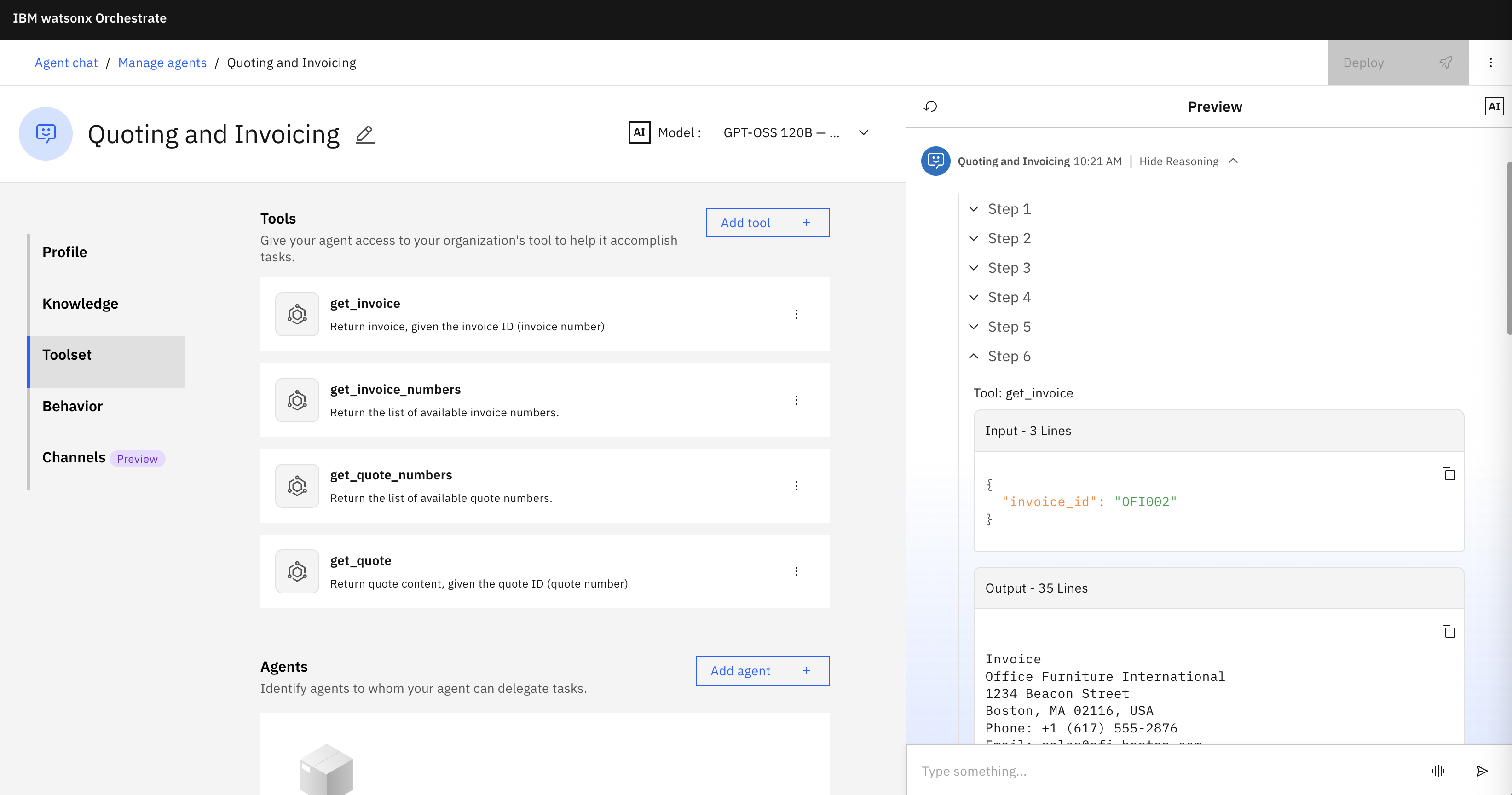
This post demonstrates a simple sample agent from my colleague Jerome Joubert which compares differences between quotes and invoices - see the screenshot at the top. The agent comes with four tools to read quotes and invoices. Weaker models might have challenges to invoke these tools correctly to generate answers.
Sequential Flows
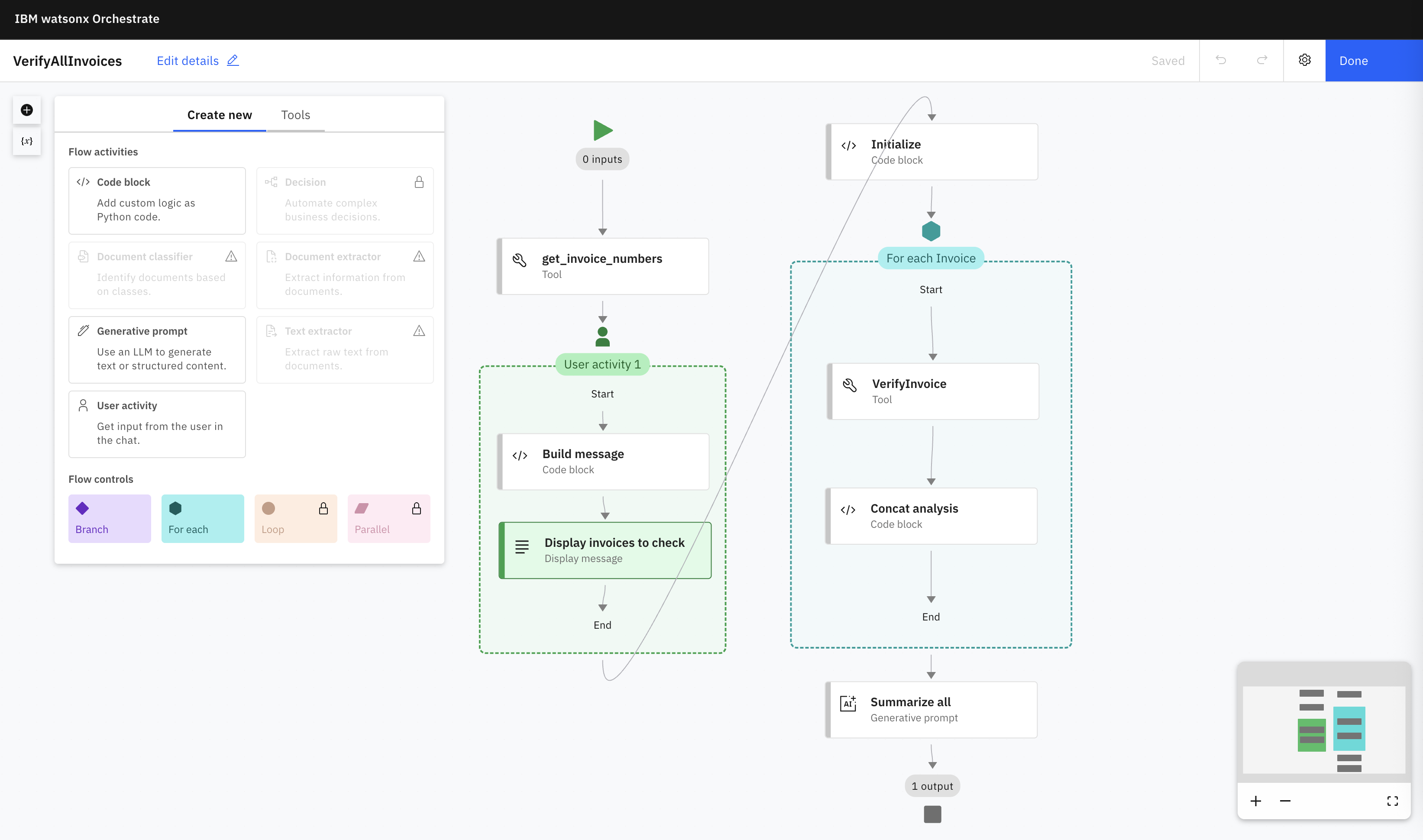
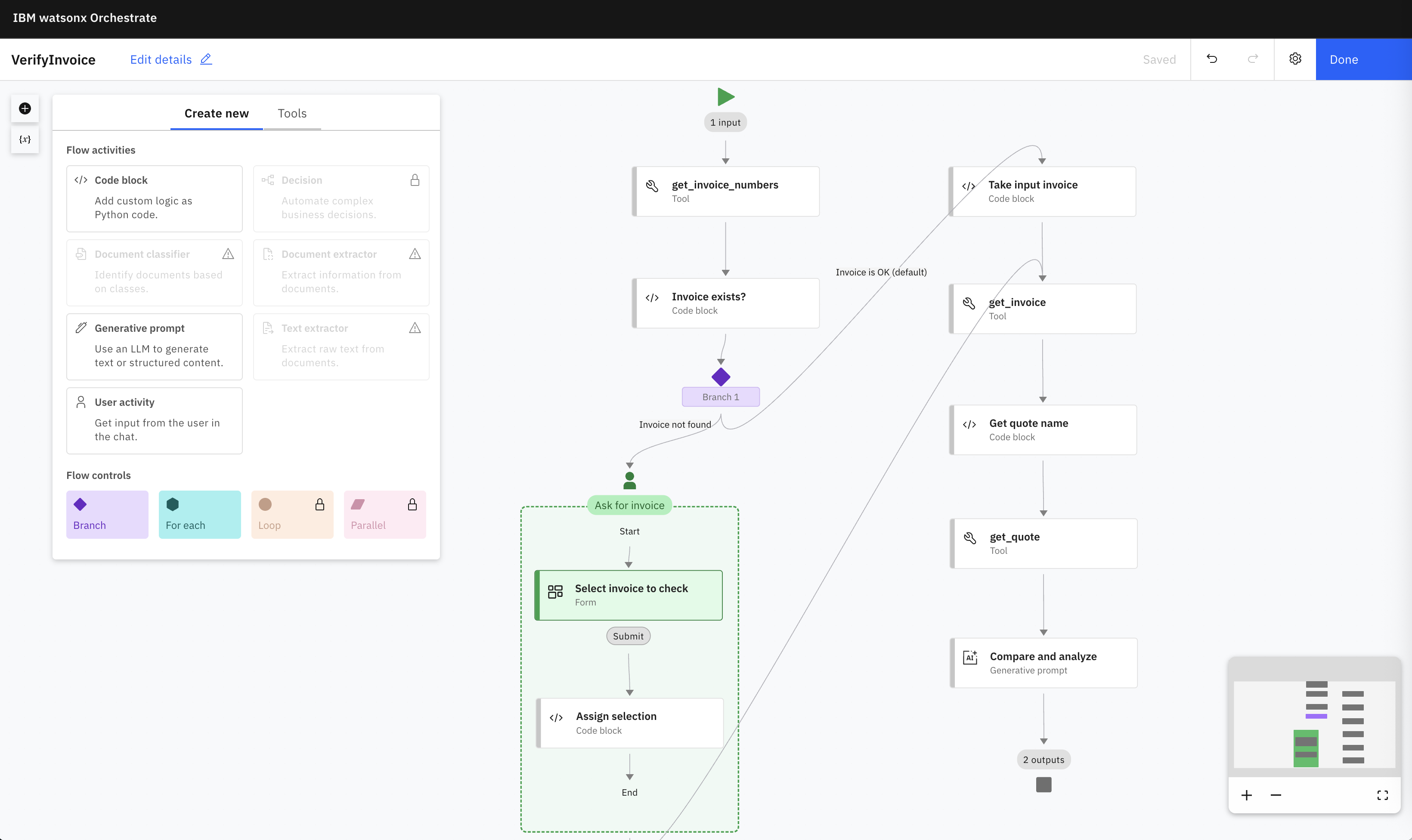
As I blogged about earlier, there are multiple types of agentic systems with pros and cons. watsonx Orchestrate supports a spectrum of agents, from simple sequential flows to autonomous agentic systems. To create reliable applications with weaker, for example smaller or older, models, Orchestrate supports agentic workflows. The following two screenshots show how to build sequential flows for the sample agent in which case the agent doesn’t have to do much thinking.
Orchestrator Agents
With gpt-oss-120b these sequential steps are not necessary in this specific scenario. gpt-oss-120b is strong enough to figure out what it needs to do by understanding the user input, the agent instructions and the tool definitions.
In this example the orchestrator agent invokes the four tools to read lists of all invoices, specific invoices, lists of all quotes and specific quotes.
System Prompt
Recently IBM and Groq announced a new partnership. The gpt-oss-120b version on Groq is much faster compared to other inference stacks.
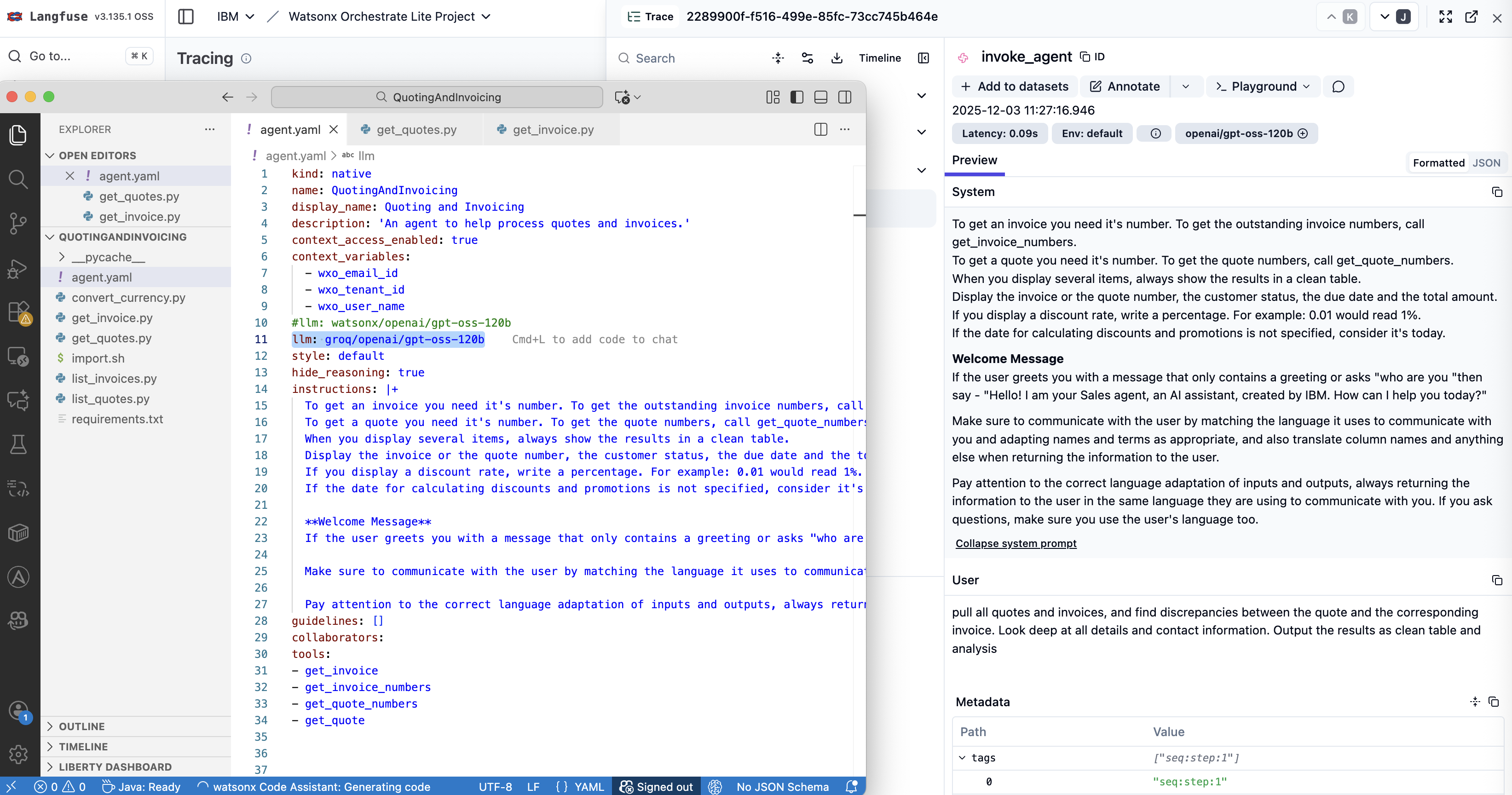
Another advantage of using openai/gpt-oss-120b on Groq from watsonx Orchestrate is that you can fully define the system prompt. This gives more control to agent developers. However, since this configuration doesn’t use the standard Orchestrate system prompt, there are special considerations you should take into account, for example you cannot use the Orchestrate agent styles.
Next Step
To find out more, check out the following resources: