
Multi‑agent systems unlock the true power of AI by enabling collaborative behaviors that drive tangible business value. At their core, agents excel through deep integrations with existing enterprise systems, connecting data and workflows in intelligent, automated ways. IBM’s watsonx Orchestrate provides the enterprise‑grade agentic platform to bring these capabilities to life, now enriched with the flexibility of LangGraph agents.
There are various ways to integrate agents and tools in watsonx Orchestrate:
- External agents via /chat/completions endpoints
- External agents via A2A
- Tools via MCP, OpenAPI and Python
- LangGraph agents running within Orchestrate (this post)
LangGraph
The latest release of watsonx Orchestrate comes with an experimental feature to import LangGraph agents. The imported agents run in isolated environments within Orchestrate.
LangGraph agents can also be integrated via A2A. The advantage of this approach is that it also supports long running operations and asynchronous callbacks. These agents can be used as ‘collaborator agents’ in top level orchestrate agents.
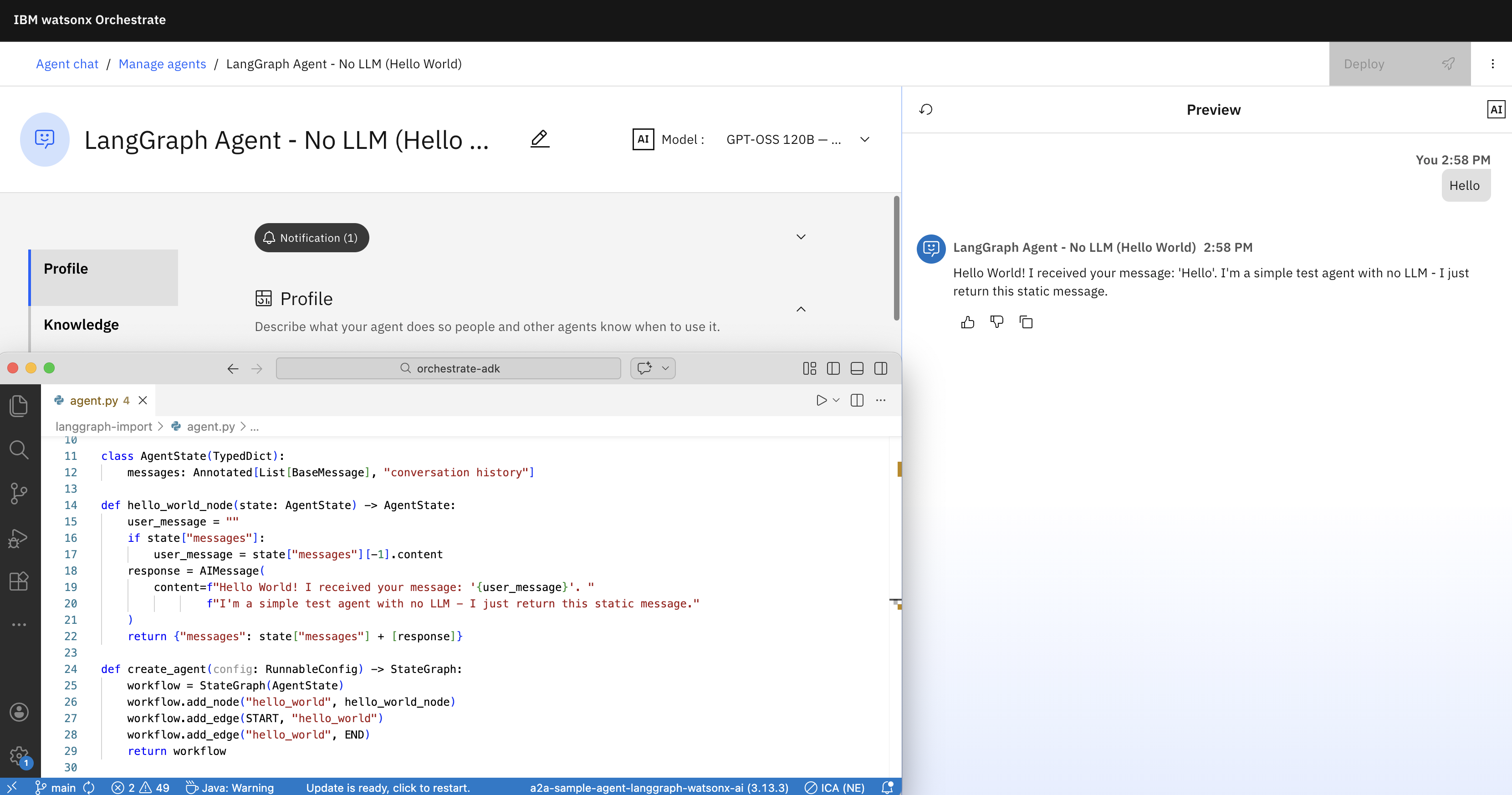
Imported ‘native’ LangGraph agents can even be run as top level agents (or collaborator agents). This allows defining your own system prompts and instructions and the flexibility to build everything that you can do in LangGraph.
At this point there are several limitations:
- From the LangGraph agents you cannot access other Orchestrate artifacts like tools, agents and knowledge bases
- LangGraph agents must not be compiled
- Only simple messages and only Python is supported
Example Agent
Let’s look at a simple example which doesn’t use a model and only echos the user input.
1
2
3
4
5
6
7
8
9
10
11
12
13
14
15
16
17
18
19
20
21
22
23
24
25
26
27
28
29
30
31
32
from typing import Annotated, List, TypedDict
from langchain_core.messages import AIMessage, BaseMessage
from langchain_core.runnables.config import RunnableConfig
from langgraph.graph import StateGraph, START, END

class AgentState(TypedDict):
    messages: Annotated[List[BaseMessage], "conversation history"]

def hello_world_node(state: AgentState) -> AgentState:
    user_message = ""
    if state["messages"]:
        user_message = state["messages"][-1].content
    response = AIMessage(
        content=f"Hello World! I received your message: '{user_message}'. "
                f"I'm a simple test agent with no LLM - I just return this static message."
    )
    return {"messages": state["messages"] + [response]}

def create_agent(config: RunnableConfig) -> StateGraph:
    workflow = StateGraph(AgentState)
    workflow.add_node("hello_world", hello_world_node)
    workflow.add_edge(START, "hello_world")
    workflow.add_edge("hello_world", END)
    return workflow

if __name__ == "__main__":
    from langchain_core.messages import HumanMessage
    app = create_agent({}).compile()
    result = app.invoke({"messages": [HumanMessage(content="Hi there!")]})
    print("Test 1 - Simple message:")
    print(result["messages"][-1].content)
    print()
To access models, agents can retrieve credentials from Orchestrate connections.
Agent Imports
LangGraph agents can be imported via the Orchestrate ADK (Agent Developer Kit which comes with a Command Line Interface).
1
2
3
4
5
6
7
8
spec_version: v1
kind: agent
name: langgraph_agent_no_llm
title: LangGraph Agent - No LLM (Hello World)
description: A simple agent that returns a static Hello World message without using any LLM.
deployment:
  code_bundle:
    entrypoint: agent:create_agent
Put the following files in a directory:
- agent.yaml
- agent.py
- requirements.txt
1
orchestrate agents create --style custom --experimental-package-root .
While you don’t have to write A2A wrappers, A2A is used internally in Orchestrate to integrate these imported LangGraph Python agents. To debug issues, you can invoke the following command:
1
orchestrate server logs | grep -B 5 -A 10 server-a2a.py
Next Steps
To find out more, check out the following resources:
- Documentation: LangGraph Agents
- Documentation: Import Agents
- Watsonx Orchestrate
- Watsonx Orchestrate Developer
- Watsonx Orchestration Documentation