
Costs for AI-based applications depend primarily on inferencing, not on pre-training or fine-tuning. Inference costs depend highly on required memory usage. The new Granite 4 family of IBM’s open-source language models require up to 70% less memory due to a hybrid Mamba architecture.
This post describes how to run the new hybrid models locally via Ollama.
Overview
Read the announcement and watch the video to understand why the Granite models greatly reduce memory requirements with hybrid Transformers/Mamba architectures.
The Granite 4 family of Large Language Models contains models in different sizes:
| Model | Architecture Type | Model Size | Description |
|---|---|---|---|
| Granite-4.0-H-Small | Hybrid, Mixture of Experts | 32B total / 9B activated | Workhorse model for key enterprise tasks like RAG and agents |
| Granite-4.0-H-Tiny | Hybrid, Mixture of Experts | 7B total / 1B activated | Designed for low latency and local applications, particularly where the task has long prefill or other scenarios where a MoE model is desired |
| Granite-4.0-H-Micro | Hybrid, Dense | 3B | Designed for low latency and local applications, and as a building block to perform key tasks (like function calling) quickly within agentic workflows |
| Granite-4.0-H-1B | Dense, Hybrid | 1.5B | Ideal models for edge, on-device, and latency-sensitive use cases |
| Granite-4.0-H-350M | Dense, Hybrid | 350M | Similar use cases as Granite-4.0-H-1B, but even smaller and cheaper to run |
The hybrid models use a mixture of Transformers and Mamba. For the hybrid models there are also counterparts using Transformers only.
Little Memory
As described in the documentation the hybrid models require up to 70% less memory:
Compared to conventional transformer-based models, Granite 4.0-H can offer over 70% reduction in RAM needed to handle long inputs and multiple concurrent batches.

The big advantage of Mamba-based models is their big context windows sizes. While costs for Transformer-based architectures grow quadratically, Mamba-based architectures grow only linearly.
Ollama
To run the models locally, Ollama can be used. For me the documentation was a little confusing. It turned out that even the biggest Granite model (‘Granite Small’) can be run via Ollama. Given the memory requirements the quantized Q4 versions should run on most modern notebooks.
1
2
ollama run granite4:32b-a9b-h
ollama run granite4:small-h
The Granite models on Ollama have a default quantization of Q4_K_M. To run other quantizations (e.g., Q8): ollama run ibm/granite4:tiny-h-q8_0.
The Granite 4 models support tool calling, RAG, FIM (fill in the middle) and structured output, for example.
1
2
3
4
5
6
7
8
9
10
11
12
13
14
15
16
17
18
19
20
21
22
23
24
<|start_of_role|>system<|end_of_role|>You are a helpful assistant with access to the following tools. You may call one or more tools to assist with the user query.

You are provided with function signatures within <tools></tools> XML tags:
<tools>
{"type": "function", "function": {"name": "get_current_weather", "description": "Get the current weather", "parameters": {"type": "object", "properties": {"location": {"description": "The city and state, e.g. San Francisco, CA", "type": "string"}}, "required": ["location"]}}}
{"type": "function", "function": {"name": "get_stock_price", "description": "Retrieves the current stock price for a given ticker symbol. The ticker symbol must be a valid symbol for a publicly traded company on a major US stock exchange like NYSE or NASDAQ. The tool will return the latest trade price in USD. It should be used when the user asks about the current or most recent price of a specific stock. It will not provide any other information about the stock or company.", "parameters": {"type": "object", "properties": {"ticker": {"description": "The stock ticker symbol, e.g. AAPL for Apple Inc.", "type": "string"}}}}}
</tools>

For each tool call, return a json object with function name and arguments within <tool_call></tool_call> XML tags:
<tool_call>
{"name": <function-name>, "arguments": <args-json-object>}
</tool_call>. If a tool does not exist in the provided list of tools, notify the user that you do not have the ability to fulfill the request.<|end_of_text|>
<|start_of_role|>user<|end_of_role|>What's the current weather in New York?<|end_of_text|>
<|start_of_role|>assistant<|end_of_role|><tool_call>
{"name": "get_current_weather", "arguments": {"city": "New York"}}
</tool_call><|end_of_text|>
<|start_of_role|>user<|end_of_role|>
<tool_response>
New York is sunny with a temperature of 30°C.
</tool_response><|end_of_text|>
<|start_of_role|>user<|end_of_role|>OK, Now tell me what's the weather like in Bengaluru at this moment?<|end_of_text|>
<|start_of_role|>assistant<|end_of_role|><tool_call>
{"name": "get_current_weather", "arguments": {"city": "Bengaluru"}}
</tool_call><|end_of_text|>
Note that reasoning is not supported yet.
Small Sizes
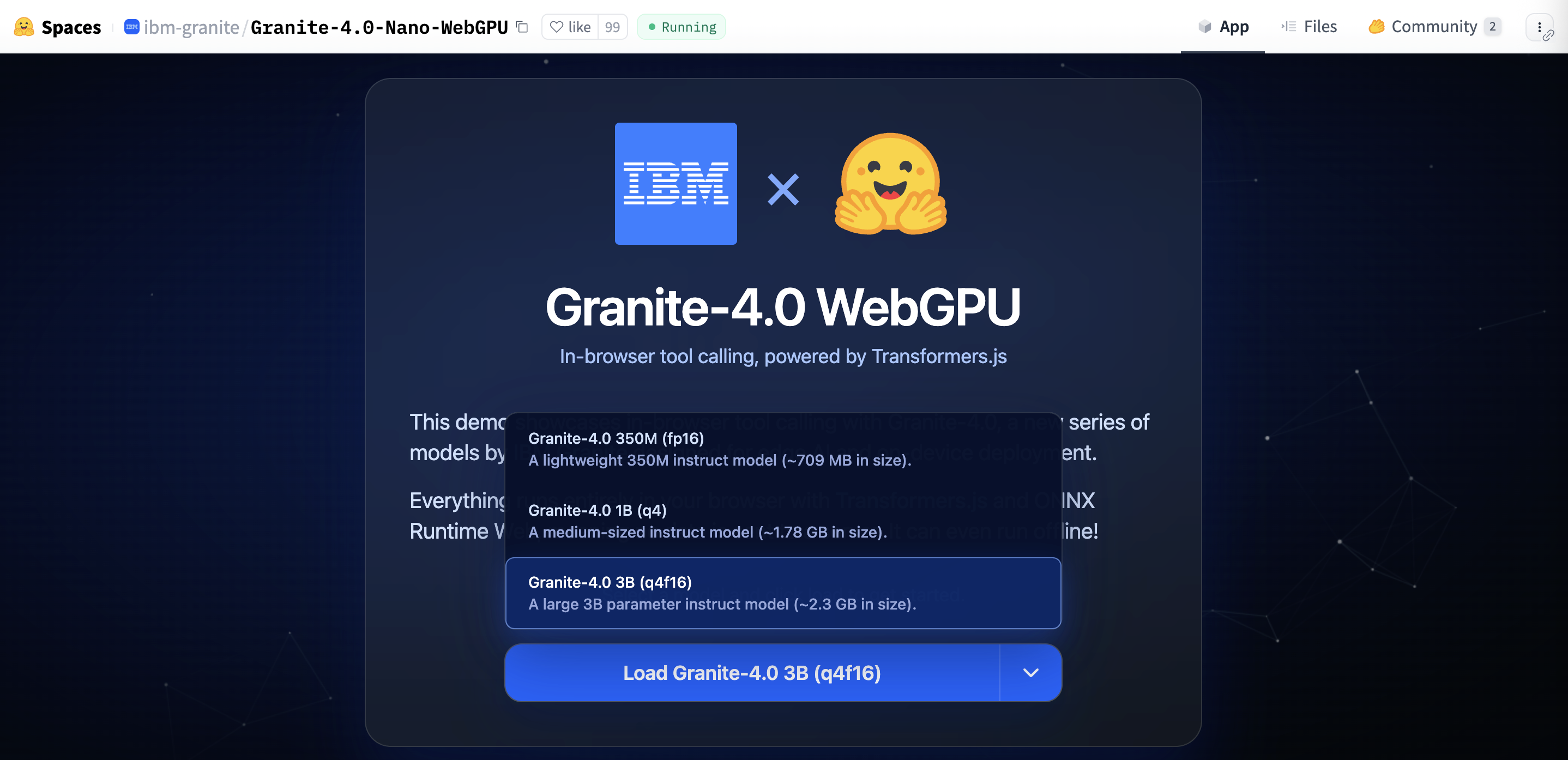
Another benefit of Granite 4 LLMs is their small sizes. You can even run them in browsers via Transformers.js, WebGPU and ONNX. Give it a try at Hugging Face.
Next Steps
To find out more, check out the following resources:
- Documentation - IBM Granite Language Models
- Announcement - IBM Granite 4.0: hyper-efficient, high performance hybrid models for enterprise
- Hugging Face Blog - Granite 4.0 Nano: Just how small can you go?
- Ollama - Granite 4
- IBM Granite
- Hugging Face Collection - Granite 4.0 Language Models
- Hugging Face Collection - Granite 4.0 Nano Language Models
- Hugging Face Space - Granite-4.0-Nano-WebGPU
- Video - Tiny AI Is About to Change Everything (IBM Granite 4.0)