

Watsonx Orchestrate is IBM’s platform to build and run agentic applications in enterprises. Agents can be built in various ways, for example developers can use the Agent Development Kit. This post describes how to leverage IBM’s AI-based development environment Bob to make this even simpler.
Read my previous post Boost Productivity with Vibe Coding to learn more about IBM Bob and my post Top five Reasons why to use watsonx Orchestrate Agents to understand the benefits of IBM watsonx Orchestrate.
This post describes how to build a simple sample weather agent. A colleague posted a similar tutorial (steps 1 - 6) which demonstrates how to leverage Bob to implement code by pointing it to specific watsonx Orchestrate documentation pages and by pointing it to the Orchestrate CLI.
As alternative MCP servers can be utilized which simplifies finding the right documentation and invoking the right CLI commands. Users don’t have to know and point to specific documentation pages and Bob doesn’t have to learn the various CLI commands first. Below are instructions how to define a custom mode and two MCP servers, similarly to the optional step 7 in the tutorial.
Watsonx Orchestrate Mode
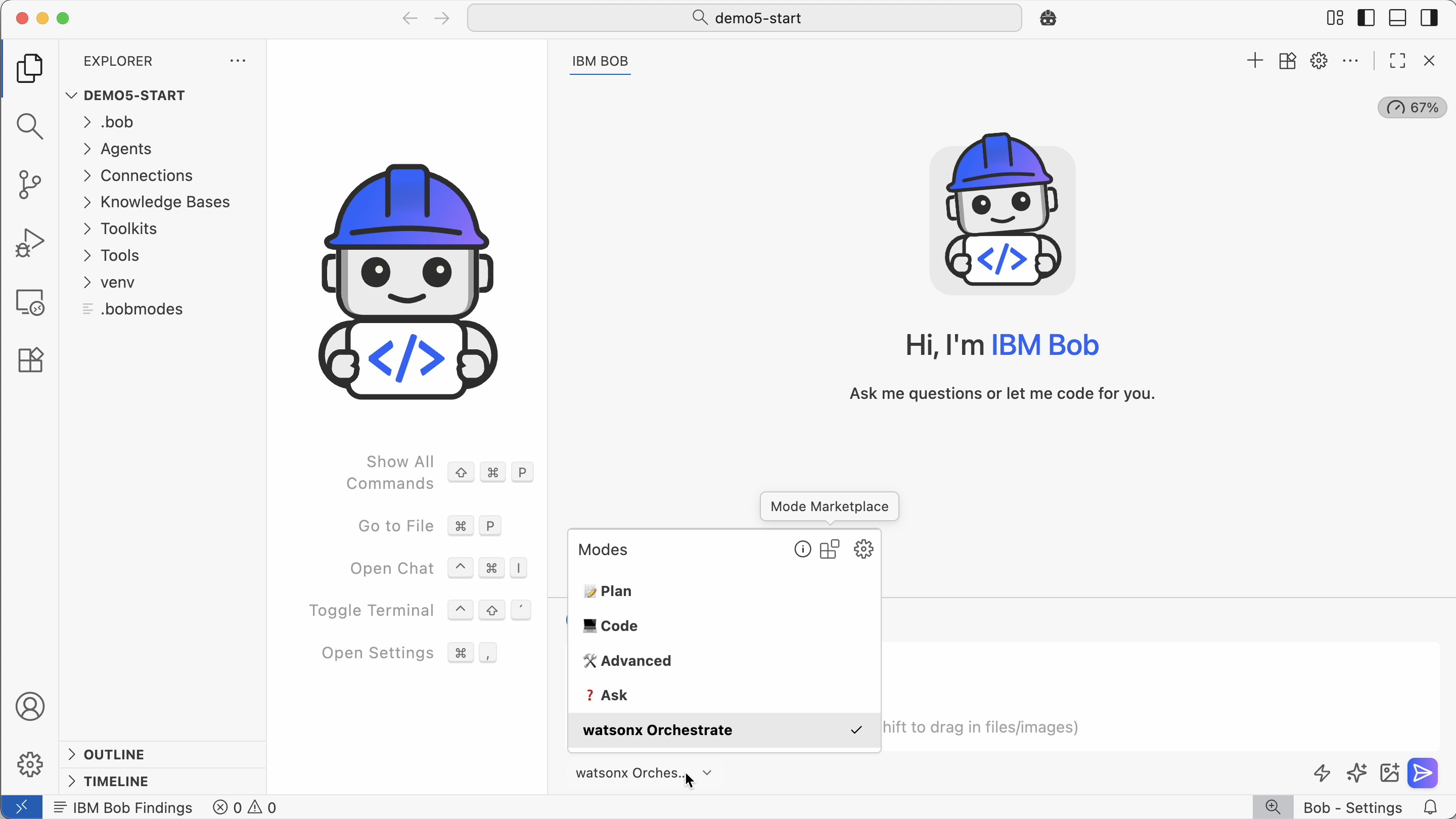
In addition to the built-in modes like ‘Code’ and ‘Planning’, Bob supports custom modes. For example, you can have a dedicated Orchestrate mode which has access to MCP tools.
1
2
3
4
5
6
7
8
9
10
11
12
13
14
15
16
17
18
19
20
customModes:
   - slug: agent-architect
     name: Agent Architect
     roleDefinition: You are Bob, a highly skilled software engineer with extensive knowledge in many programming languages, frameworks, design patterns, and best practices. You are especially skilled at building new agents for watsonx Orchestrate.
     customInstructions: |-
       Before solving any tasks related to the watsonx orchestrate platform use the wxo-docs mcp server's SearchIbmWatsonxOrchestrateAdk tool  to better understand how to author agents, tools, toolkits, models, knowledge_bases and connections for wxo.

       When authoring an agent, use the orchestrate-adk mcp server list_tools comand to find tools which may be relevant to the problem and list_agents tool to find relevant collaborator agents.

       If you need to extract information from the watsonx Orchestrate
       platform use the orchestrate-adk mcp server.

       Never include ibm-watsonx-orchestrate in your requirements.txt
     groups:
       - read
       - edit
       - browser
       - command
       - mcp
     source: global
Two MCP tools are utilized (see screenshot at the top):
- watsonx Orchestrate documentation MCP tool
- watsonx Orchestrate CLI MCP tool
Example
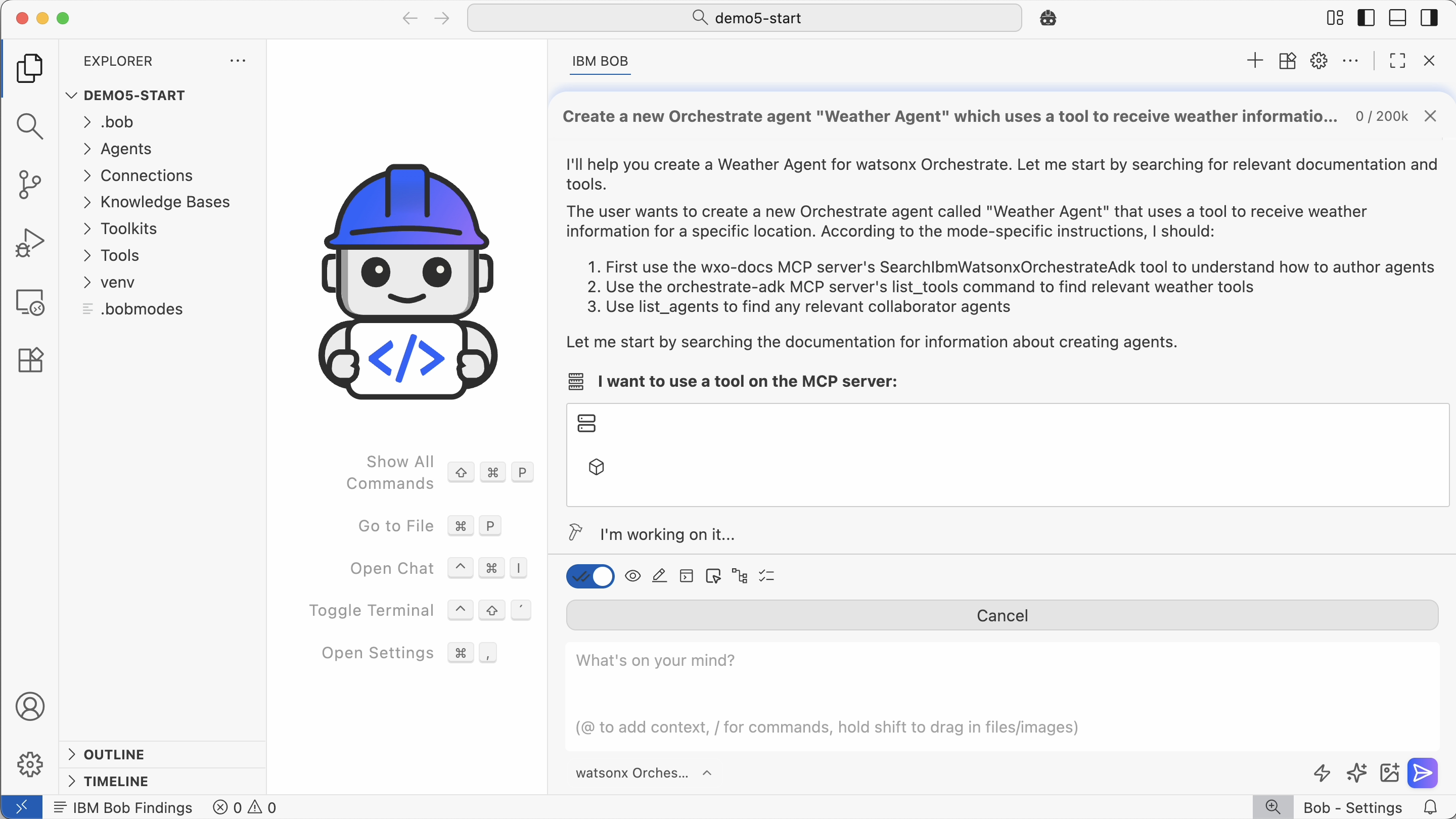
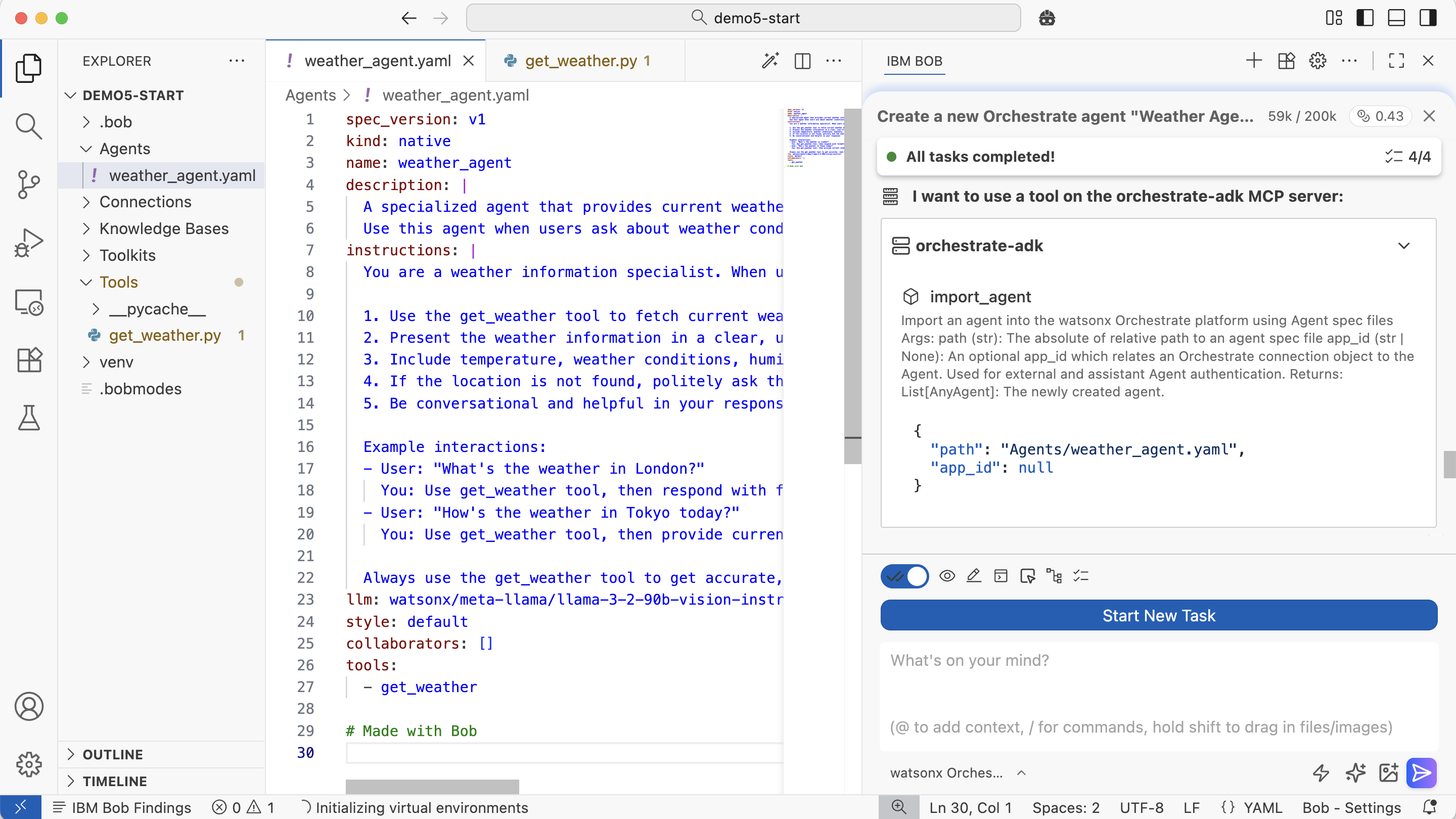
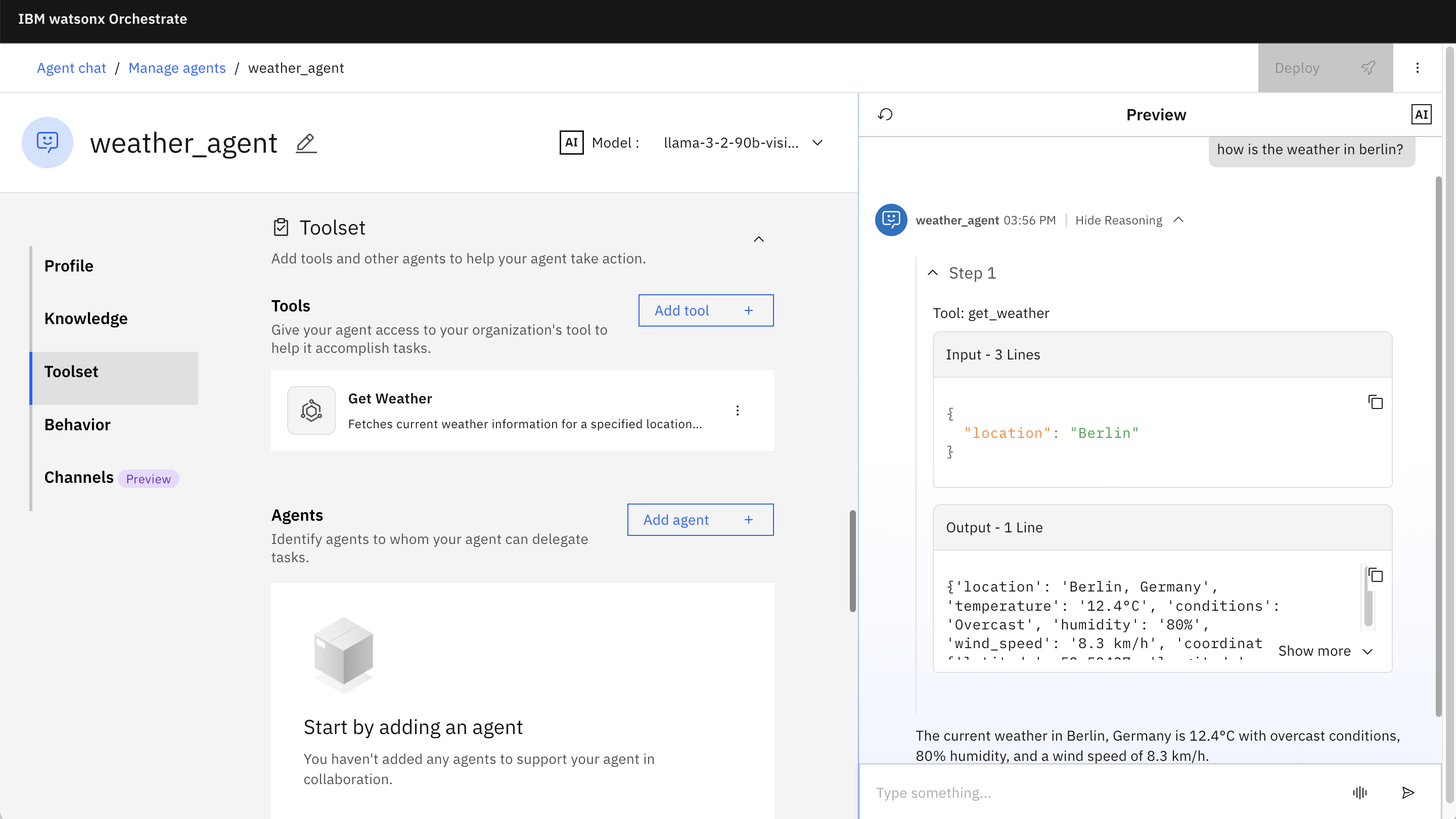
The example agent is supposed to return weather information. Here is the prompt to trigger Bob to generate the agent.
“Create a new Orchestrate agent Weather Agent which uses a tool to receive weather information for a specific location.”
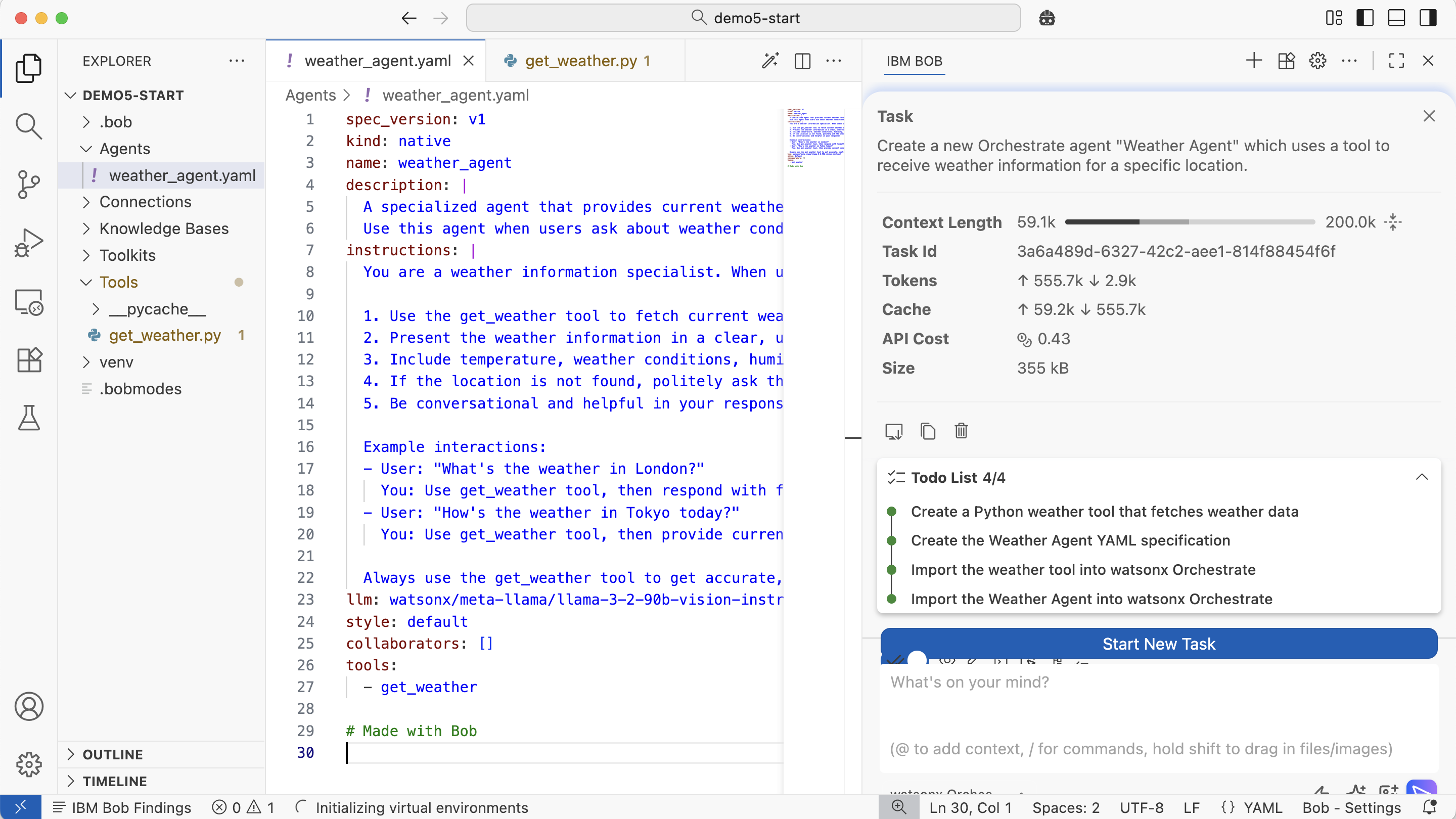
Before the code is generated, Bob creates a to-do list.
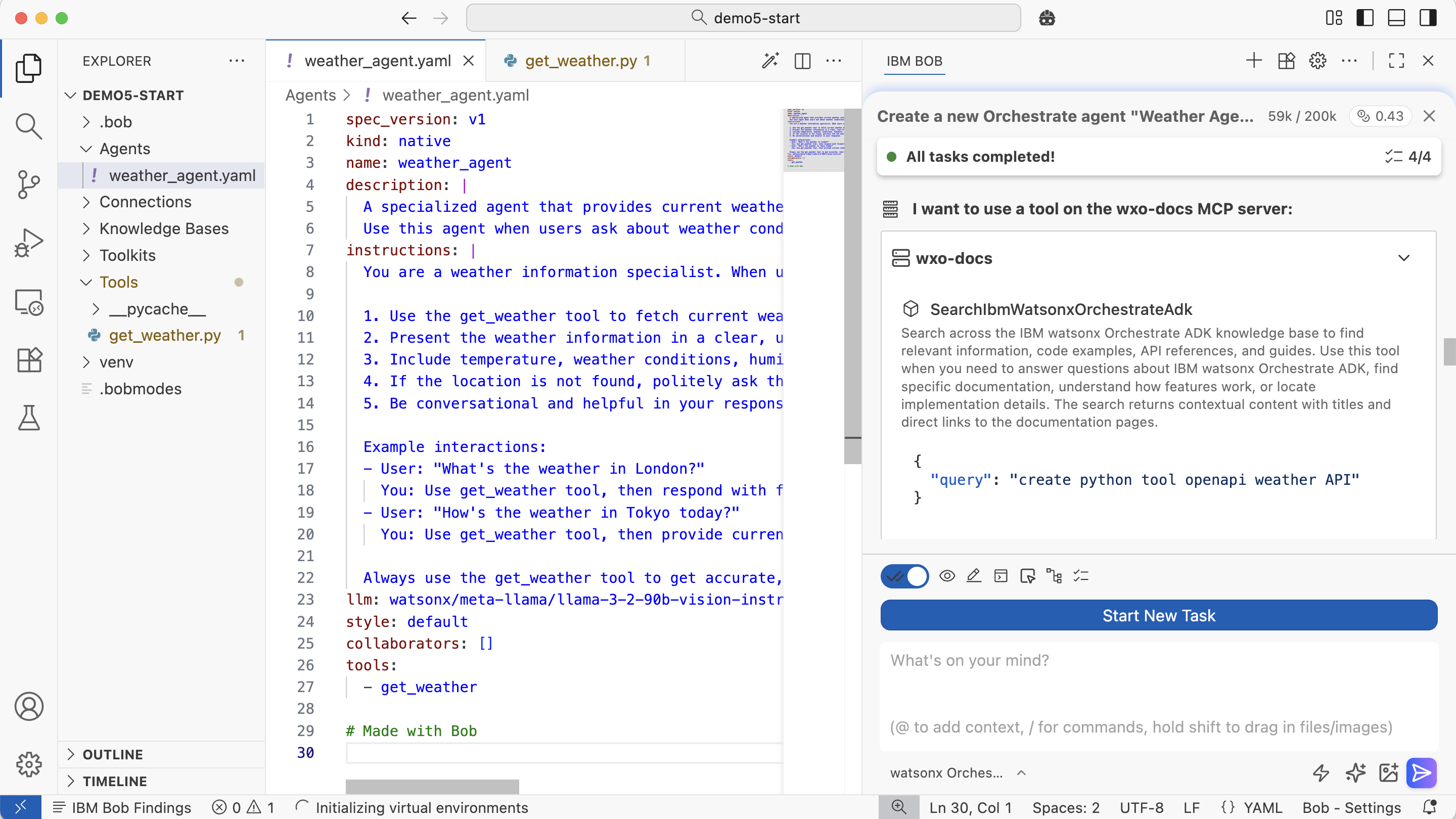
Documentation MCP Tool
watsonx Orchestrate provides a remote MCP server for the documentation.
1
2
3
4
5
6
7
8
9
10
11
12
13
14
15
16
17
{
  "mcpServers": {
    "wxo-docs": {
      "command": "uvx",
      "args": [
        "mcp-proxy",
        "--transport",
        "streamablehttp",
        "https://developer.watson-orchestrate.ibm.com/mcp"
      ],
      "alwaysAllow": [
        "SearchIbmWatsonxOrchestrateAdk"
      ],
      "disabled": false
    }
  }
}
CLI MCP Tool
Additionally, the watsonx Orchestrate CLI can be invoked by Bob, for example to deploy the new agents and tools. This second MCP server runs locally.
1
2
3
4
5
6
7
8
9
10
11
12
13
14
15
16
17
18
19
20
21
22
23
24
25
26
27
28
29
{
  "mcpServers": {
    "orchestrate-adk": {
      "command": "uvx",
      "args": [
        "--with",
        "ibm-watsonx-orchestrate==2.1.0",
        "ibm-watsonx-orchestrate-mcp-server==2.1.0"
      ],
      "env": {
        "WXO_MCP_WORKING_DIRECTORY": "/path/to/root/of/project"
      },
      "alwaysAllow": [
        "list_agents",
        "export_agent",
        "get_tool_template",
        "list_tools",
        "list_toolkits",
        "list_knowledge_bases",
        "check_knowledge_base_status",
        "list_connections",
        "list_voice_configs",
        "list_models",
        "check_version"
      ],
      "disabled": false
    }
  }
}
Note: Replace WXO_MCP_WORKING_DIRECTORY with your project path.
Result
With the simple prompt above and the two MCP tools Bob can generate the weather agent in less than five minutes.
Next Steps
To find out more, check out the following resources: