
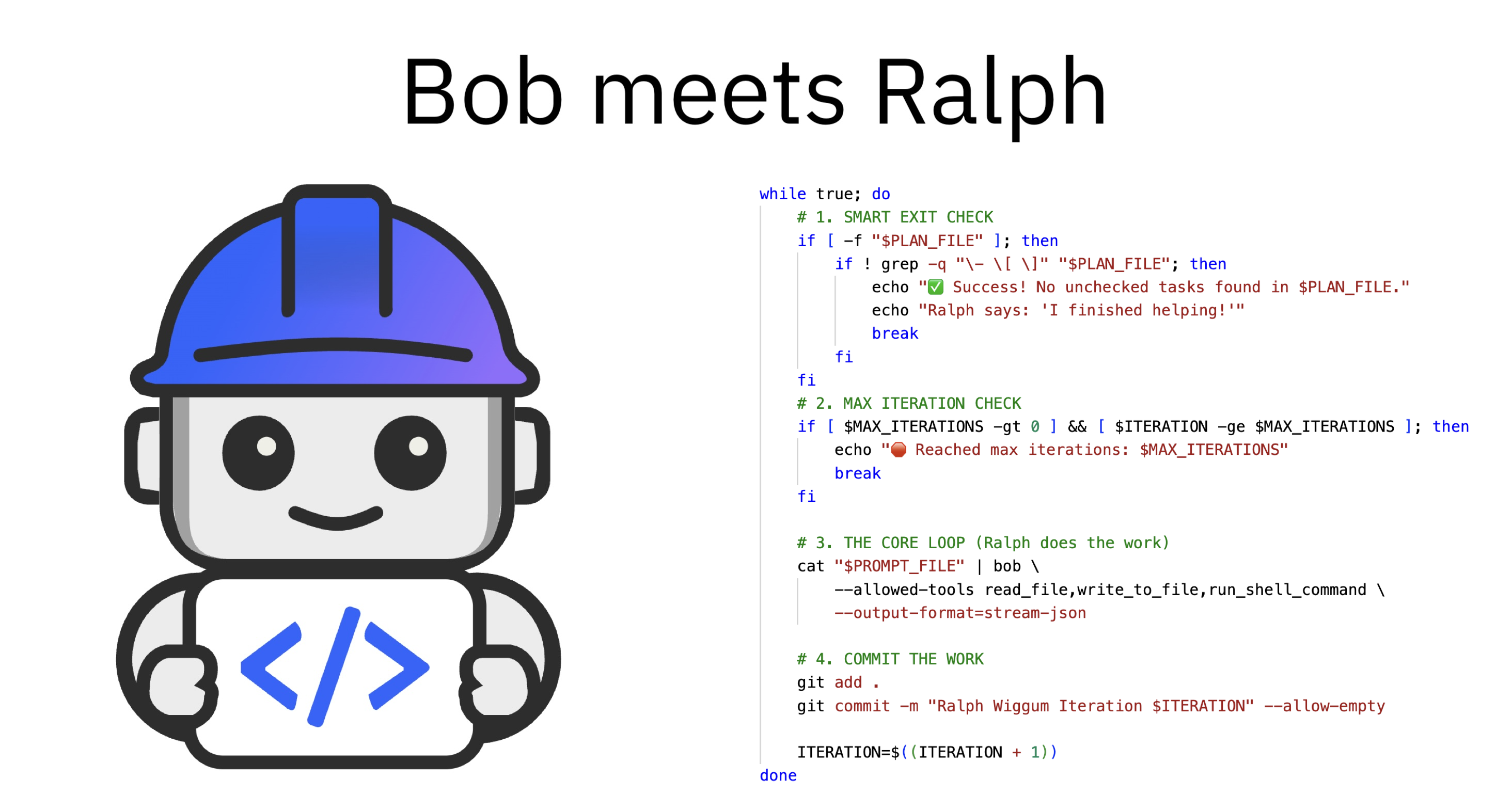
The Ralph Wiggum Loop is a new and powerful pattern attempting to develop software via autonomous agents. IBM Bob is an AI-based software engineering tool. This post provides an example how to utilize Bob Shell in a loop.
Bob is an AI SDLC (Software Development Lifecycle) partner that helps developers work confidently with real codebases. Bob augments your existing workflows and provides proactive insights. It supports developers as they reason about code and make decisions.
Ralph Wiggum Loop
The Ralph Wiggum Loop was introduced in July last year and there is a hype around it since then. There are many resources (see the bottom of this post) which explain the pattern and why the Simpsons character Ralph Wiggum was chosen as name for this pattern. To get started I recommend watching the video.
To understand the dimensions this pattern might have on future software development, but also on other digital tasks, read some statements of the inventor Geoffrey Huntley.
but software development is dead - I killed it. Software can now be developed cheaper than the wage of a burger flipper at maccas and it can be built autonomously
everyone seemed to be trying to crack on multi-agent, agent-to-agent communication and multiplexing. At this stage, it’s not needed.
What’s the opposite of microservices? […] Ralph is monolithic. Ralph works autonomously in a single repository as a single process that performs one task per loop.
Whilst software development/programming is now dead. We however deeply need software engineers with these skills who understand that LLMs are a new form of programmable computer.
I’m excited to see how this evolves considering there are also challenges around security, costs, energy, production quality and more.
Rather than explaining the concept let’s look at a simple sample which I built yesterday evening. The loop is very simple, but at the same time really powerful!
Note that this is not a perfect implementation. I chose the easiest path just to cover some of the main functionality.
Specifications
For the Ralph loop to be successful, the specifications need to be precise. They can be created manually or with an agent asking the user for details if they are ambiguous.
Let’s look at an example. The specification defines what the application is supposed to do and it also requires to create and run a test. This step is very important for loops that run autonomously.
1
2
3
4
5
6
7
8
9
10
11
12
13
# Spec: Hello Ralph Generator

## Overview
We need a simple command-line script that greets the user with a quote from Ralph Wiggum.

## Requirements
1. **Script Name**: The script should be named `ralph_sayer.py`.
2. **Behavior**: When run, it should print a random quote from a predefined list of Ralph Wiggum quotes.
3. **Quotes List**:
   - "I'm helping!"
   - "Me fail English? That's unpossible!"
   - "My cat's breath smells like cat food."
4. **Execution**: The script must be executable via `python3 ralph_sayer.py`.
Since the first specification is trivial, I’ve added a second one so that Bob needs more than one iteration. I also put in the prompt to only work on one specification in an iteration. Since the application is still very easy, Bob would just do everything in one iteration.
1
2
3
4
5
6
7
8
9
10
11
12
13
14
15
# Spec: Ralph's Math Helper

## Overview
We need a utility script that helps Ralph with his homework. Ralph is not very good at math, but he tries his best.

## Requirements
1. **Script Name**: The script should be named `ralph_math.py`.
2. **Input**: The script must accept two integer arguments from the command line (e.g., `python3 ralph_math.py 5 3`).
3. **Logic**:
   - The script should calculate the sum of the two numbers.
   - If the sum is greater than 10, it is "too hard" for Ralph.
4. **Output**:
   - If sum <= 10: Print the result followed by "I calculate good!" (e.g., `8 ... I calculate good!`).
   - If sum > 10: Print "That is unpossible!"
5. **Error Handling**: If the user provides non-numbers, print "My cat's name is Mittens."
Implementation Plan
Next you need an implementation plan. For demo purposes you can create it manually, but this part is typically done by an agent based on the specifications.
Every sub-feature has a checkbox that Bob updates when certain features have been completed.
1
2
3
4
5
6
7
8
9
10
11
12
13
14
# Implementation Plan

## Feature 1: Hello Ralph Generator (specs/hello_ralph.md)
- [ ] Create `ralph_sayer.py` with the predefined list of quotes.
- [ ] Implement random selection logic in `ralph_sayer.py`.
- [ ] Create `test_ralph_sayer.py` to verify the script runs.
- [ ] Run tests and verify "Hello Ralph" feature works.

## Feature 2: Ralph Math Helper (specs/ralph_math.md)
- [ ] Create `ralph_math.py` skeleton that accepts command line arguments.
- [ ] Implement the addition logic and the "Result > 10" check.
- [ ] Implement the error handling for non-number inputs.
- [ ] Create `test_ralph_math.py` to check cases (e.g. 2+2, 5+6, and invalid input).
- [ ] Run tests and verify "Ralph Math" feature works.
Prompt
The prompt is important. Bob is asked to read the specifications, the implementation plan and its status and then Bob decides which feature or sub-feature(s) he wants to work on next.
1
2
3
4
5
6
7
8
9
10
11
12
13
14
15
16
17
18
# PROMPT.md

You are an expert software engineer named Ralph. Your goal is to implement the functionality described in the `specs/` folder by following the `IMPLEMENTATION_PLAN.md`.

## Instructions
1. **Orient**: Read the files in `specs/` to understand what needs to be built.
2. **Plan**: Read `@IMPLEMENTATION_PLAN.md` to see what tasks are remaining.
3. **Select**: Pick the highest priority "Todo" item from the plan. Only pick one of the features.
4. **Act**:
   - Write the code to implement that single task.
   - Run tests to verify your code works.
   - **Crucially**: Update `@IMPLEMENTATION_PLAN.md` to mark the task as "Done".
5. **Stop**: Do not try to do everything at once. Do one thing well, then exit.

## Constraints
- Use standard Python for this example.
- If a file doesn't exist, create it.
- If tests fail, fix the code before marking the task done.
Loop
Here is a simple version how the loop could be implemented. The loop runs until Bob is done or the maximal number of iterations is reached.
In every iteration Bob picks a work item, generates code, potentially generates the tests and executes them and updates the implementation plan.
Note: Execute this in a sandbox environment since the AI agent is launched with ‘–allowed-tools read_file,write_to_file,run_shell_command’.
1
2
3
4
5
6
7
8
9
10
11
12
13
14
15
16
17
18
19
20
21
22
23
24
25
26
27
28
29
30
31
32
33
34
35
36
37
38
39
40
41
42
43
44
45
#!/bin/bash

MAX_ITERATIONS=4
ITERATION=0
PROMPT_FILE="PROMPT.md"
PLAN_FILE="IMPLEMENTATION_PLAN.md"

if [ ! -f "$PROMPT_FILE" ]; then
    echo "Error: $PROMPT_FILE not found."
    exit 1
fi

echo "--- Starting Ralph Wiggum Loop ---"

while true; do
    # 1. SMART EXIT CHECK
    # We check if the plan file exists.
    # If it does, we look for any unchecked boxes "- [ ]".
    if [ -f "$PLAN_FILE" ]; then
        if ! grep -q "\- \[ \]" "$PLAN_FILE"; then
            echo "✅ Success! No unchecked tasks found in $PLAN_FILE."
            echo "Ralph says: 'I finished helping!'"
            break
        fi
    fi

    # 2. MAX ITERATION CHECK
    if [ $MAX_ITERATIONS -gt 0 ] && [ $ITERATION -ge $MAX_ITERATIONS ]; then
        echo "🛑 Reached max iterations: $MAX_ITERATIONS"
        break
    fi

    echo "Running Iteration $ITERATION..."

    # 3. THE CORE LOOP
    cat "$PROMPT_FILE" | bob \
        --allowed-tools read_file,write_to_file,run_shell_command \
        --output-format=stream-json

    # 4. COMMIT THE WORK
    git add .
    git commit -m "Ralph Wiggum Iteration $ITERATION" --allow-empty

    ITERATION=$((ITERATION + 1))
done
Result
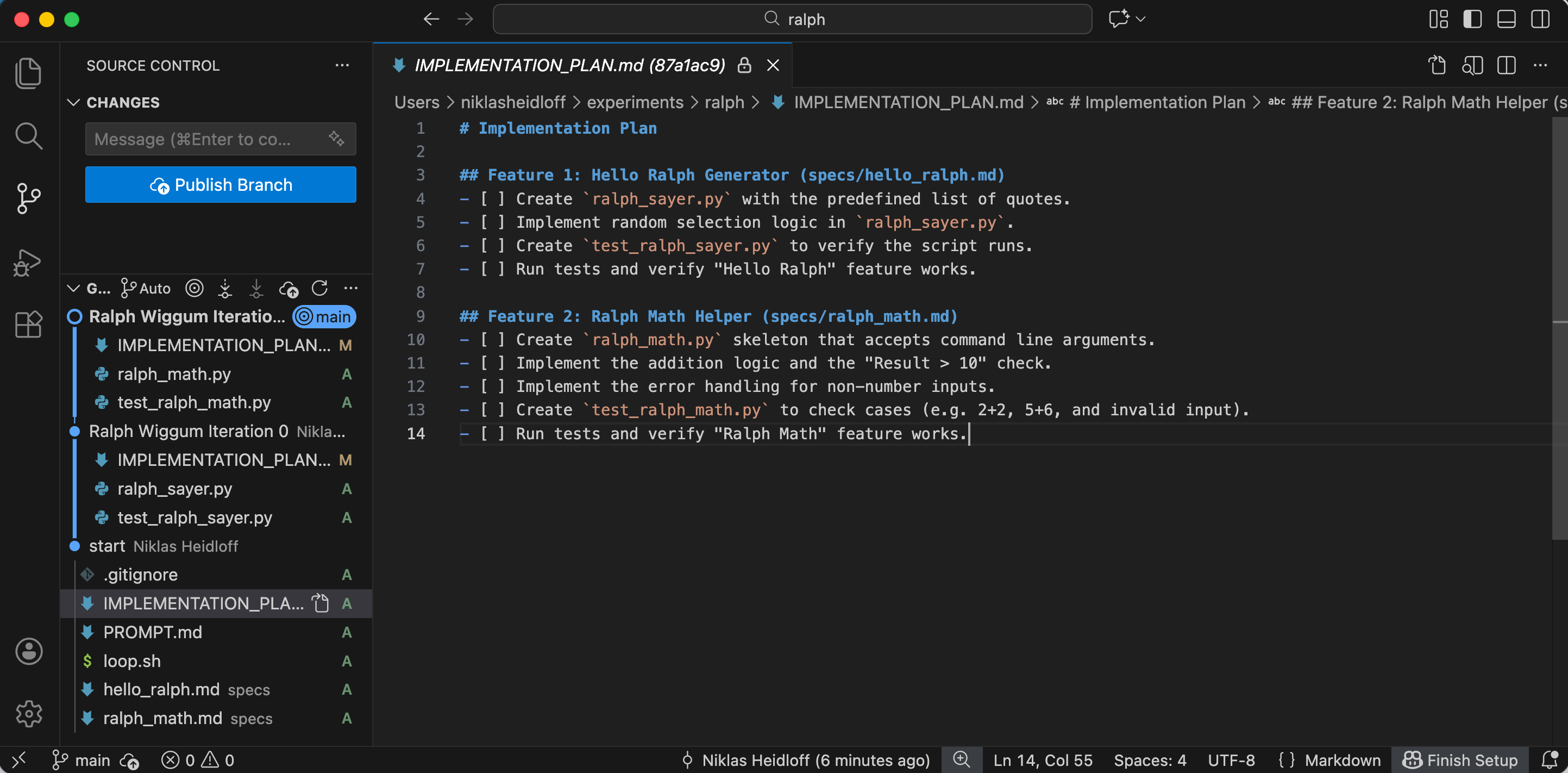
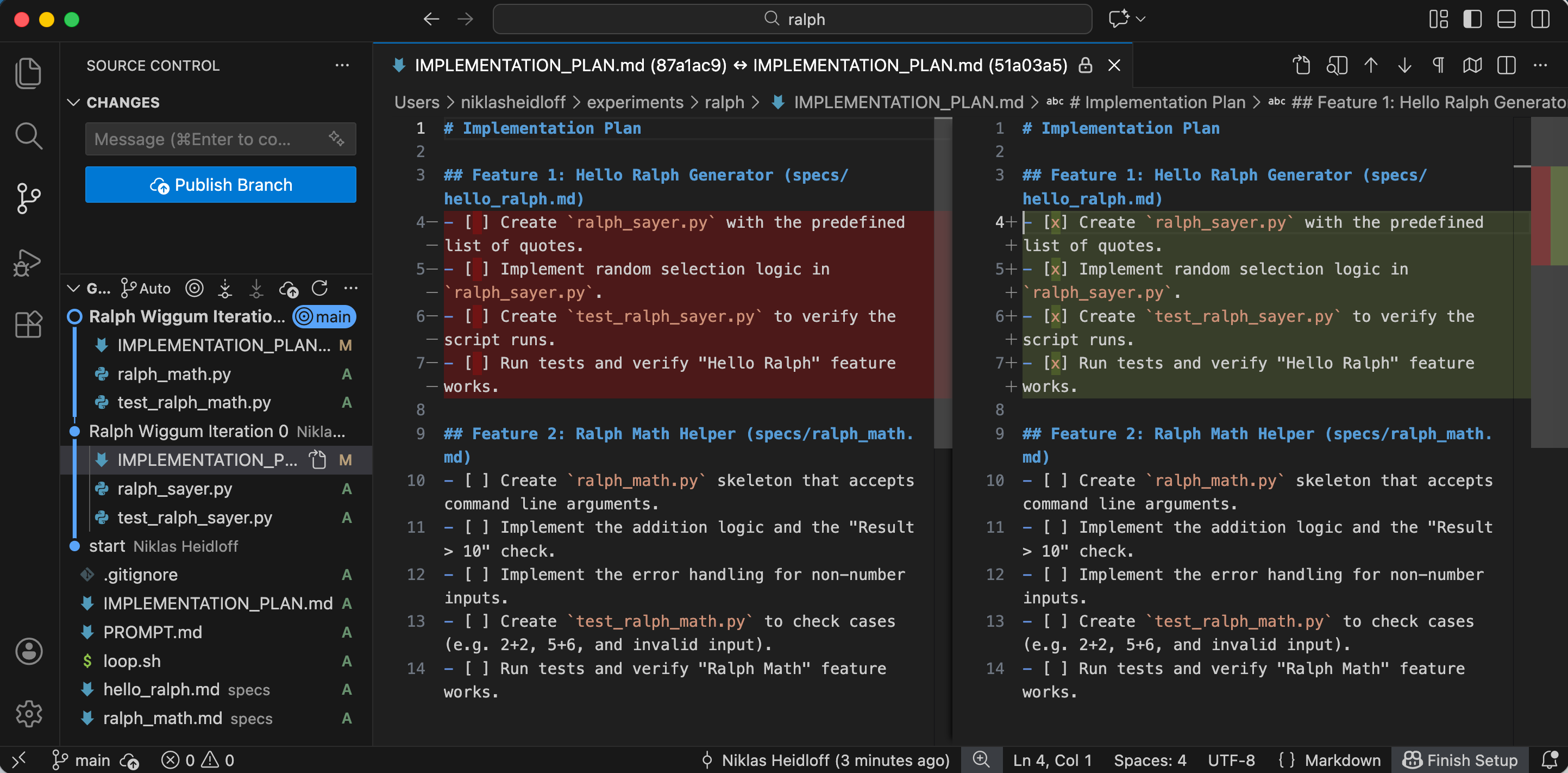
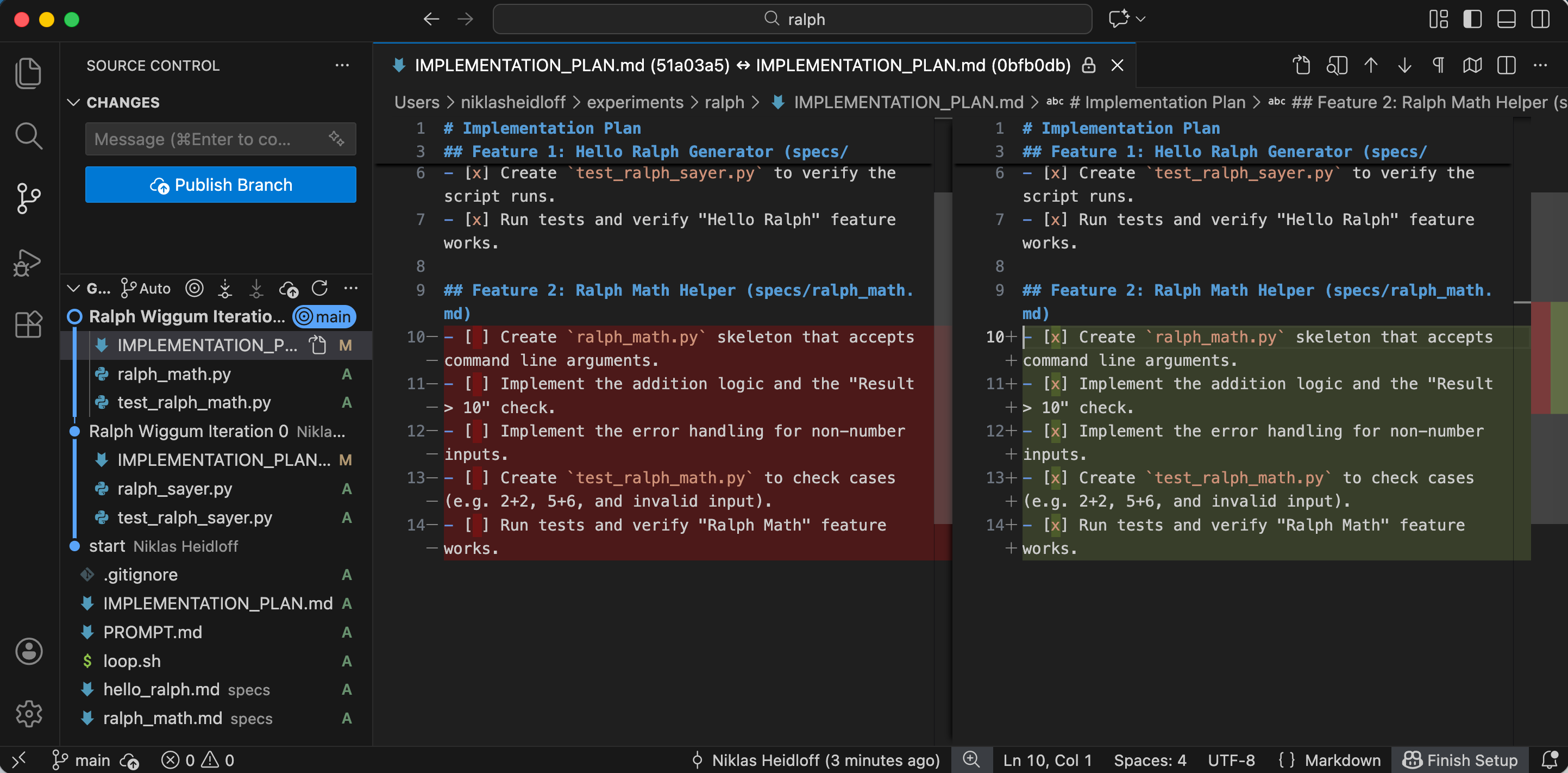
You can run the loop via ‘sh loop.sh’. Bob needed two iterations to generate four Python files.
Before the first iteration the checklist is empty.
In the first iteration he completed the first specification.
After the second iteration everything is done - see also output.txt.
Next Steps
To find out more, check out the following resources: